Clippie AI vs InfiniteTalk AI
A detailed comparison to help you choose the right AI tool for your workflow.
Clippie AI
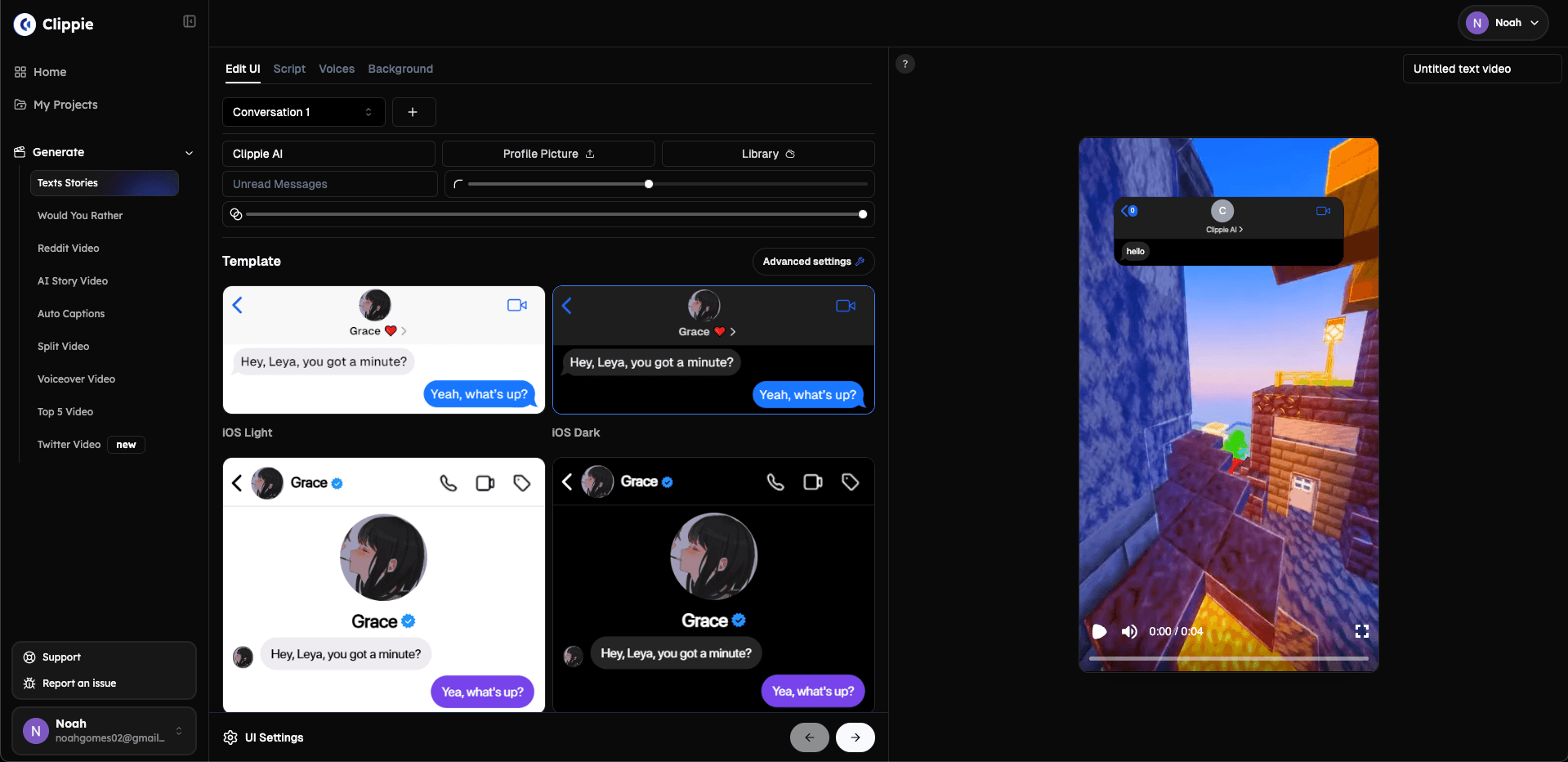
Clippie is an AI video tool that turns a story idea into a finished faceless video. Its script writer develops ideas scene by scene, and the same project generates characters, scenes, narration, captions, and animation. Styles include stickman stories, talking fruit videos, cartoons, and 16:9 templates for long-form YouTube content. It is built for creators who make short-form story or explainer videos and want to avoid moving files between separate tools. The website says it is trusted by 1,000,000+ creators. Videos can be created through the dashboard, an API, or MCP. What sets Clippie apart is that scripts, characters, voices, captions, and scenes all live in one workflow and one editor. Users can fine-tune scenes, voices, and pacing before exporting the finished story.
View Clippie AI →
InfiniteTalk AI
InfiniteTalk AI is an audio-driven video dubbing tool. Users upload a video or image and a speech, podcast, or dialogue track, and the tool generates a lip-synced, full-body animated video. The website says it preserves identity and camera motion, and supports both image-to-video and video-to-video generation. Output can be exported in 480p or 720p. The site describes the tool as aimed at creators, businesses, and developers. Listed uses include tutorials, educational materials, training modules, product demos, and multilingual content that keeps the same avatar across languages. The site says that, unlike traditional lip-sync tools, InfiniteTalk AI also drives head tilts, posture shifts, and facial expressions. It states that it removes short-clip limits for longer videos, and that its InfiniteTalk AI Multi mode supports several characters in one video, each with its own audio track.
View InfiniteTalk AI →Feature Comparison
Clippie AI
- •Script writer for scene-by-scene story development
- •Character and scene generation in the same project
- •Narration generation with captions and timing
- •Animation of chosen moments
- •Stickman, talking fruit, and cartoon styles
- •Dashboard, API, and MCP access
InfiniteTalk AI
- •Sparse-frame dubbing that drives lip, head, and facial movement
- •Unlimited duration video generation
- •Multi-speaker support with independent audio tracks (InfiniteTalk AI Multi)
- •Image-to-video and video-to-video generation
- •Export in 480p or 720p
- •Lip alignment matched to speech
At a glance
| Clippie AI | InfiniteTalk AI | |
|---|---|---|
| Category | Video Generation | Video Generation |
| Pricing | Premium | Freemium |
| Community Rating | No reviews | No reviews |
| Upvotes on Stremit | 25 | 84 |
| Website | clippie.ai ↗ | infinitetalk.net ↗ |
Clippie AI vs InfiniteTalk AI: Which is Better?
Choosing between Clippie AI and InfiniteTalk AI depends on your specific needs. Both tools belong to the Video Generation category, making them direct competitors. Compare their pricing, features, and user reviews above to make the best choice for your workflow.
Visit the individual tool pages for more detailed information, community reviews, and feature breakdowns.
Frequently asked questions
What is the difference between Clippie AI and InfiniteTalk AI?
Clippie AI: Clippie is an AI video tool that turns a story idea into a finished faceless video. Its script writer develops ideas scene by scene, and the same project generates characters, scenes, narration, captions, and animation.… InfiniteTalk AI: InfiniteTalk AI is an audio-driven video dubbing tool. Users upload a video or image and a speech, podcast, or dialogue track, and the tool generates a lip-synced, full-body animated video. The website says it preserves…
Is Clippie AI free?
Clippie AI is listed as Premium on Stremit. Check the tool's site for current plans.
Is InfiniteTalk AI free?
InfiniteTalk AI is listed as Freemium on Stremit. Check the tool's site for current plans.
Are Clippie AI and InfiniteTalk AI competitors?
Yes — both are Video Generation tools on Stremit, so people often compare them before choosing.