Colorize Photo vs Free AI Photo Editor: Edit & Generate Image Online
A detailed comparison to help you choose the right AI tool for your workflow.
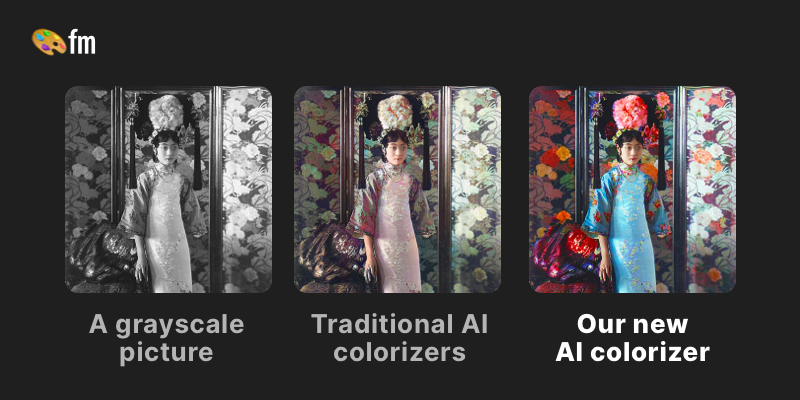
Colorize Photo
Colorize your black and white images within seconds using an online AI colorize tool. This tool is suitable for individuals and professionals looking to add color to their old photos. It stands out from other colorization tools due to its realistic colors, simple and powerful customization, and high-quality results. Try it for free, with no sign-up needed. The tool is trusted by 6.6M users and has a 4.9-star rating. It offers a free plan with unlimited color previews, but with a watermark, and a paid plan with watermark-free previews and full resolution colorizations. Get started for free and unlock the colors in your old photos in 3 easy steps: upload, pick a filter, and download or edit.
View Colorize Photo →
Free AI Photo Editor: Edit & Generate Image Online
Pokecut is an all-in-one, AI-powered platform designed to help users create, edit, and enhance images for personal, social, and product workflows. It functions as both an AI photo editor and an image generator, allowing users to start creating without requiring sign-up. Users can utilize specialized AI models for complex tasks, such as removing or changing backgrounds, sophisticated portrait editing (including body shape and hair details), and applying AI filters. For efficiency, the tool supports batch editing, allowing users to process up to 50 photos simultaneously. It is ideal for content creators, designers, and casual users needing high-quality visual assets. Beyond basic enhancements, the platform features specialized tools like AI Clothes Changer, Magic Eraser, and advanced text enhancement, making it a comprehensive solution for modern photo needs.
View Free AI Photo Editor: Edit & Generate Image Online →Feature Comparison
Colorize Photo
No features listed yet.
Free AI Photo Editor: Edit & Generate Image Online
- •AI Background Remover & Changer
- •Batch Photo Editor (up to 50 images)
- •AI Clothes and Body Changer
- •Photo Enhancer and Image Restorer
- •Text Enhancement for Images
- •Portrait and Face Editor
At a glance
| Colorize Photo | Free AI Photo Editor: Edit & Generate Image Online | |
|---|---|---|
| Category | Image Generation | Image Generation |
| Pricing | Free | Freemium |
| Community Rating | No reviews | No reviews |
| Upvotes on Stremit | 0 | 89 |
| Website | palette.fm ↗ | pokecut.com ↗ |
Colorize Photo vs Free AI Photo Editor: Edit & Generate Image Online: Which is Better?
Choosing between Colorize Photo and Free AI Photo Editor: Edit & Generate Image Online depends on your specific needs. Both tools belong to the Image Generation category, making them direct competitors. Compare their pricing, features, and user reviews above to make the best choice for your workflow.
Visit the individual tool pages for more detailed information, community reviews, and feature breakdowns.
Frequently asked questions
What is the difference between Colorize Photo and Free AI Photo Editor: Edit & Generate Image Online?
Colorize Photo: Colorize your black and white images within seconds using an online AI colorize tool. This tool is suitable for individuals and professionals looking to add color to their old photos. It stands out from other… Free AI Photo Editor: Edit & Generate Image Online: Pokecut is an all-in-one, AI-powered platform designed to help users create, edit, and enhance images for personal, social, and product workflows. It functions as both an AI photo editor and an image generator, allowing…
Is Colorize Photo free?
Colorize Photo is listed as Free on Stremit. Check the tool's site for current plans.
Is Free AI Photo Editor: Edit & Generate Image Online free?
Free AI Photo Editor: Edit & Generate Image Online is listed as Freemium on Stremit. Check the tool's site for current plans.
Are Colorize Photo and Free AI Photo Editor: Edit & Generate Image Online competitors?
Yes — both are Image Generation tools on Stremit, so people often compare them before choosing.