Floor Plan AI Generator vs AI Room Planner
A detailed comparison to help you choose the right AI tool for your workflow.
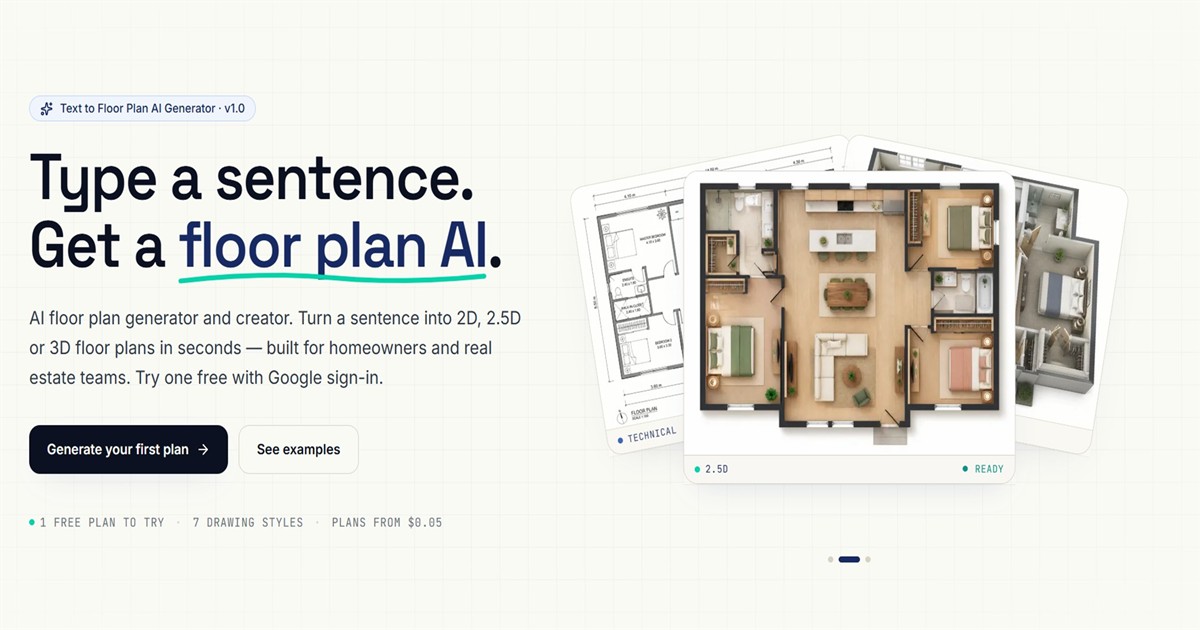
Floor Plan AI Generator
This AI tool generates detailed 2D floor plans and downloadable GLB 3D models simply from a text description. Users write a one-line prompt—such as describing the number of bedrooms or room styles—and the AI handles the complex layout of walls, doors, and dimensions, eliminating the need for specialized CAD software or design skills. The platform supports multiple visualization options, allowing users to choose from 2D, 2.5D, 3D Isometric, or photorealistic drawing styles. It also enables advanced features like Image-to-Image referencing (up to 16 photos) to restyle existing structures, and the resulting models can be exported for use in programs like Blender or Unity. It is designed for homeowners, real estate teams, and 3D designers who require fast, high-quality floor plans. The output can be saved as a high-resolution PNG or a fully interactive 3D model for sharing or professional use.
View Floor Plan AI Generator →
AI Room Planner
AI Room Planner helps users design interior spaces, providing a wide range of ideas for various rooms. It is suitable for individuals seeking interior design inspiration. The tool generates multiple design concepts, allowing users to choose the one that suits their style and preferences. AI Room Planner is free, with no limit on usage, making it accessible to a wide audience. AI Room Planner is a user-friendly interface that enables users to input dimensions and select materials to create a personalized design plan. The tool's AI algorithm generates multiple design options, considering various factors such as lighting, color, and furniture layout. What sets AI Room Planner apart is its ability to provide a vast range of design ideas, catering to different tastes and styles.
View AI Room Planner →Feature Comparison
Floor Plan AI Generator
- •Generates 2D plans and downloadable GLB 3D models from prompts
- •Supports 7 drawing styles and 7 interior presets
- •Allows up to 16 image references for restyling
- •Provides full top-down layout with labeled rooms
- •High-resolution PNG and 3D model download
AI Room Planner
- •input dimensions
- •select materials
- •AI algorithm generates design options
- •various design styles
At a glance
| Floor Plan AI Generator | AI Room Planner | |
|---|---|---|
| Category | Design & UI | Design & UI |
| Pricing | Freemium | Free |
| Community Rating | No reviews | No reviews |
| Upvotes on Stremit | 0 | 52 |
| Website | floorplanai.net ↗ | airoomplanner.com ↗ |
Floor Plan AI Generator vs AI Room Planner: Which is Better?
Choosing between Floor Plan AI Generator and AI Room Planner depends on your specific needs. Both tools belong to the Design & UI category, making them direct competitors. Compare their pricing, features, and user reviews above to make the best choice for your workflow.
Visit the individual tool pages for more detailed information, community reviews, and feature breakdowns.
Frequently asked questions
What is the difference between Floor Plan AI Generator and AI Room Planner?
Floor Plan AI Generator: This AI tool generates detailed 2D floor plans and downloadable GLB 3D models simply from a text description. Users write a one-line prompt—such as describing the number of bedrooms or room styles—and the AI handles the… AI Room Planner: AI Room Planner helps users design interior spaces, providing a wide range of ideas for various rooms. It is suitable for individuals seeking interior design inspiration. The tool generates multiple design concepts,…
Is Floor Plan AI Generator free?
Floor Plan AI Generator is listed as Freemium on Stremit. Check the tool's site for current plans.
Is AI Room Planner free?
AI Room Planner is listed as Free on Stremit. Check the tool's site for current plans.
Are Floor Plan AI Generator and AI Room Planner competitors?
Yes — both are Design & UI tools on Stremit, so people often compare them before choosing.