KnowTree — AI Conversation Graph for Branching Chat vs LockedIn AI
A detailed comparison to help you choose the right AI tool for your workflow.
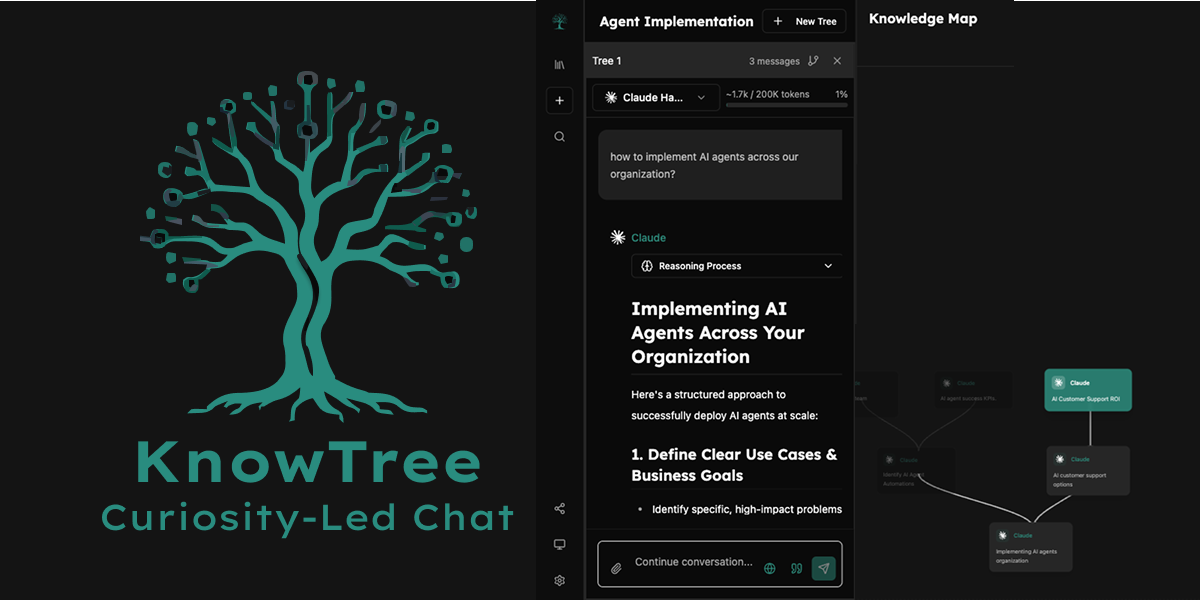
KnowTree — AI Conversation Graph for Branching Chat
KnowTree is an AI conversation graph that replaces the usual linear chat with a branching map. Any AI answer can be branched into a new path, and the whole line of thinking stays on one map. Context is kept across branches, so earlier threads are not lost. The tool lets users compare more than 30 models from 5 providers side-by-side, including frontier models. It suits anyone whose thinking moves in several directions from a single starting question and who wants to see how different models respond to the same line of inquiry. What sets it apart is the map itself. Instead of one long scrolling thread, the reasoning sits in a tree structure, which makes it easier to revisit earlier branches and compare paths.
View KnowTree — AI Conversation Graph for Branching Chat →
LockedIn AI
LockedIn AI is an AI interview assistant and meeting copilot that analyzes questions to provide real-time assistance during professional interviews and meetings. Its capabilities include delivering live interview coaching, real-time answers, and specific code solutions automatically. It is designed for professionals preparing for or undergoing job interviews and online assessments. The tool supports all question types and integrates with major platforms such as HireVue, CodeSignal, and HackerRank. What differentiates the tool is its advanced, privacy-first functionality. It offers a Stealth Background Mode and can provide assistance directly within development environments like VSCode and Cursor, ensuring continuous support without needing complex setup.
View LockedIn AI →Feature Comparison
KnowTree — AI Conversation Graph for Branching Chat
- •Branch any AI answer into a new path
- •Compare 30+ models across 5 providers side-by-side
- •Keeps the full line of thinking on one map
- •Tree-based structure instead of linear chat
- •Context preserved across branches
LockedIn AI
- •Real-time assistance during interviews and meetings
- •Coding Copilot for debug help and algorithm review
- •Online assessment support for multiple platforms
- •Stealth Background Mode for private operation
- •Integration with VSCode and Cursor
At a glance
| KnowTree — AI Conversation Graph for Branching Chat | LockedIn AI | |
|---|---|---|
| Category | Chatbot & Assistant | Chatbot & Assistant |
| Pricing | — | Free |
| Community Rating | No reviews | No reviews |
| Upvotes on Stremit | 70 | 221 |
| Website | knowtree.chat ↗ | lockedinai.com ↗ |
KnowTree — AI Conversation Graph for Branching Chat vs LockedIn AI: Which is Better?
Choosing between KnowTree — AI Conversation Graph for Branching Chat and LockedIn AI depends on your specific needs. Both tools belong to the Chatbot & Assistant category, making them direct competitors. Compare their pricing, features, and user reviews above to make the best choice for your workflow.
Visit the individual tool pages for more detailed information, community reviews, and feature breakdowns.
Frequently asked questions
What is the difference between KnowTree — AI Conversation Graph for Branching Chat and LockedIn AI?
KnowTree — AI Conversation Graph for Branching Chat: KnowTree is an AI conversation graph that replaces the usual linear chat with a branching map. Any AI answer can be branched into a new path, and the whole line of thinking stays on one map. Context is kept across… LockedIn AI: LockedIn AI is an AI interview assistant and meeting copilot that analyzes questions to provide real-time assistance during professional interviews and meetings. Its capabilities include delivering live interview…
Is LockedIn AI free?
LockedIn AI is listed as Free on Stremit. Check the tool's site for current plans.
Are KnowTree — AI Conversation Graph for Branching Chat and LockedIn AI competitors?
Yes — both are Chatbot & Assistant tools on Stremit, so people often compare them before choosing.