Xplorer vs Scriber GPT
A detailed comparison to help you choose the right AI tool for your workflow.

Xplorer
Xplorer is a file explorer built with Rust, Tauri v2, and React. It offers grid, list, and column views, tabbed browsing, split panes, and rich previews for over 50 file formats without opening another app. It also includes AI-powered search that finds files by meaning, AI chat about your files, Git integration, and SSH remote access. It is aimed at people who manage many files and want one window for browsing, previewing, searching, and working with code repositories. The site says its AI features can run fully offline using local Ollama models. Xplorer is open source and free to download. Its extension system supports themes, custom previews, sidebar panels, commands, and context menus, with a marketplace of 25 extensions. The app is currently in beta and lists an install size under 50MB.
View Xplorer →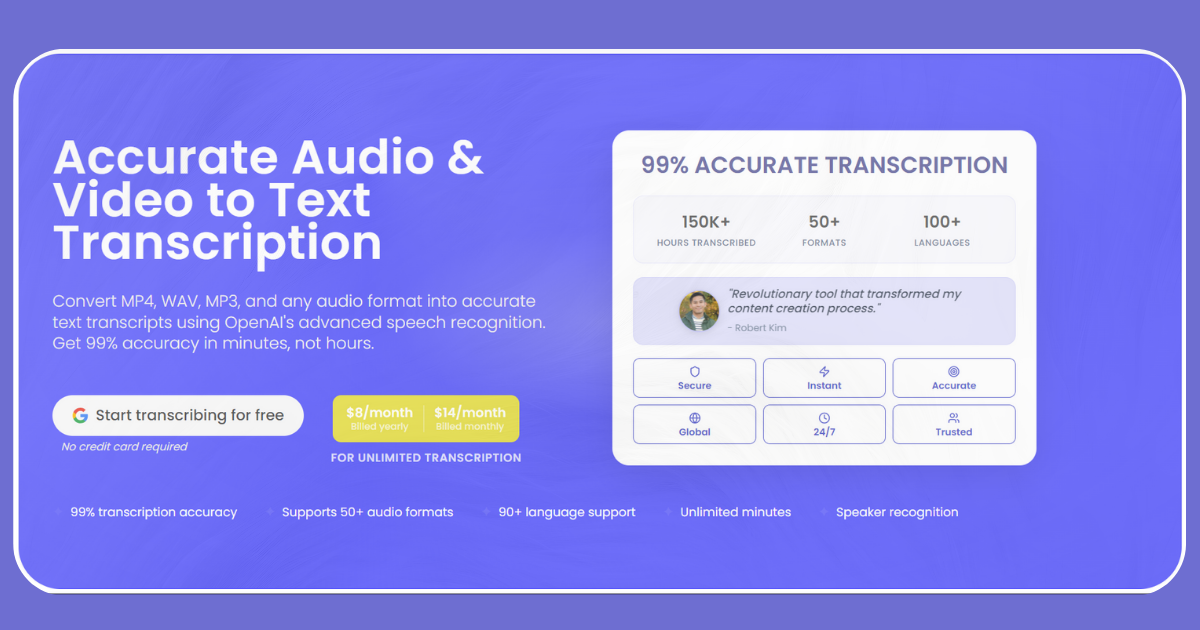
Scriber GPT
Scriber GPT is an audio and video transcription service. It converts files such as MP4, WAV, and MP3 into text transcripts with speaker labels and timestamps, using OpenAI Whisper models. Finished transcripts can be exported as PDF, DOCX, TXT, SRT, or VTT, and translated into other languages. The tool is aimed at podcasters, meeting and interview recorders, content creators, journalists, researchers, business teams, and legal and medical professionals. Users can also paste a YouTube URL to generate a transcript from that video's audio. Scriber GPT includes optional profanity and filler word filtering, and it offers free audio tools such as an audio splitter and audio compressor. The site lists a free tier with 5 minutes of transcription per day, and unlimited plans at $14 per month or $8 per month billed yearly.
View Scriber GPT →Feature Comparison
Xplorer
- •Grid, list, and column views with tabbed browsing and split panes
- •Previews for over 50 file formats without opening other apps
- •Semantic search using natural language queries
- •AI chat about files with local Ollama model support
- •Git integration with commit graph, blame view, and diffs
- •Extension SDK with a marketplace of 25 extensions
Scriber GPT
- •Speaker labels and timestamps
- •Support for 50+ file formats and 90+ languages
- •Translation of finished transcripts
- •Export to PDF, DOCX, TXT, SRT, and VTT
- •Optional profanity and filler word filtering
- •Transcription from YouTube URLs
At a glance
| Xplorer | Scriber GPT | |
|---|---|---|
| Category | Productivity | Productivity |
| Pricing | Free | Freemium |
| Community Rating | No reviews | No reviews |
| Upvotes on Stremit | 10 | 51 |
| Website | xplorer.space ↗ | scribergpt.com ↗ |
Xplorer vs Scriber GPT: Which is Better?
Choosing between Xplorer and Scriber GPT depends on your specific needs. Both tools belong to the Productivity category, making them direct competitors. Compare their pricing, features, and user reviews above to make the best choice for your workflow.
Visit the individual tool pages for more detailed information, community reviews, and feature breakdowns.
Frequently asked questions
What is the difference between Xplorer and Scriber GPT?
Xplorer: Xplorer is a file explorer built with Rust, Tauri v2, and React. It offers grid, list, and column views, tabbed browsing, split panes, and rich previews for over 50 file formats without opening another app. It also… Scriber GPT: Scriber GPT is an audio and video transcription service. It converts files such as MP4, WAV, and MP3 into text transcripts with speaker labels and timestamps, using OpenAI Whisper models. Finished transcripts can be…
Is Xplorer free?
Xplorer is listed as Free on Stremit. Check the tool's site for current plans.
Is Scriber GPT free?
Scriber GPT is listed as Freemium on Stremit. Check the tool's site for current plans.
Are Xplorer and Scriber GPT competitors?
Yes — both are Productivity tools on Stremit, so people often compare them before choosing.