Displaylatch vs WorkBeaver: Autopilot For Your Work
A detailed comparison to help you choose the right AI tool for your workflow.
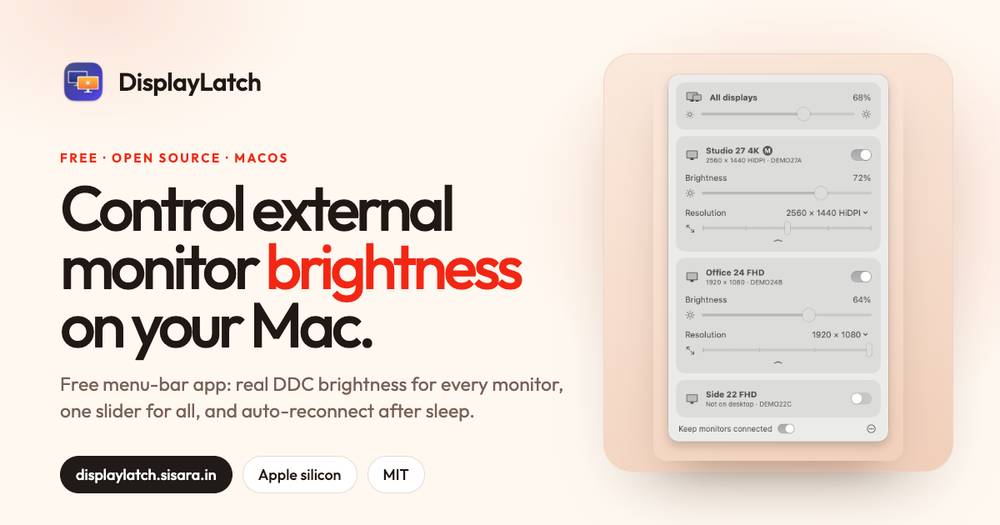
Displaylatch
Free, open-source Mac menu-bar app. Control external monitor brightness over DDC, dim all screens with one slider, and fix monitors left black after sleep.
View Displaylatch →
WorkBeaver: Autopilot For Your Work
WorkBeaver is an AI automation sidekick designed to eliminate repetitive clicks and tasks, allowing users to automate virtually any browser work. Users simply describe the desired task, review the steps, and let the platform execute the work, whether immediately or on a schedule. It is designed for non-technical teams and real people, working even if the user cannot code. Automation use cases include monitoring websites for updates, sorting emails and extracting leads, collecting product details into structured data, and keeping spreadsheets up to date. The tool focuses on ease of use and security, offering browser extension access and local AI support for privacy. Users can start with a free starter tier and choose between monthly subscriptions or a one-time purchase for lifetime access.
View WorkBeaver: Autopilot For Your Work →Feature Comparison
Displaylatch
No features listed yet.
WorkBeaver: Autopilot For Your Work
- •Browser extension access
- •Local AI support for privacy
- •Schedule recurring work
- •Handle forms and portals
- •Collect data from websites
At a glance
| Displaylatch | WorkBeaver: Autopilot For Your Work | |
|---|---|---|
| Category | Other | Productivity |
| Pricing | Unknown | Freemium |
| Community Rating | No reviews | No reviews |
| Upvotes on Stremit | 0 | 196 |
| Website | displaylatch.sisara.in ↗ | workbeaver.com?aff=pifxio ↗ |
Displaylatch vs WorkBeaver: Autopilot For Your Work: Which is Better?
Choosing between Displaylatch and WorkBeaver: Autopilot For Your Work depends on your specific needs. While Displaylatch focuses on Other and WorkBeaver: Autopilot For Your Work on Productivity, both tools can serve similar use cases. Compare their details above to find your best fit.
Visit the individual tool pages for more detailed information, community reviews, and feature breakdowns.
Frequently asked questions
What is the difference between Displaylatch and WorkBeaver: Autopilot For Your Work?
Displaylatch: Free, open-source Mac menu-bar app. Control external monitor brightness over DDC, dim all screens with one slider, and fix monitors left black after sleep. WorkBeaver: Autopilot For Your Work: WorkBeaver is an AI automation sidekick designed to eliminate repetitive clicks and tasks, allowing users to automate virtually any browser work. Users simply describe the desired task, review the steps, and let the…
Is Displaylatch free?
Displaylatch is listed as Unknown on Stremit. Check the tool's site for current plans.
Is WorkBeaver: Autopilot For Your Work free?
WorkBeaver: Autopilot For Your Work is listed as Freemium on Stremit. Check the tool's site for current plans.