Invideo AI vs Brain Rest
A detailed comparison to help you choose the right AI tool for your workflow.

Invideo AI
Invideo allows users to create and edit videos using an agentic editor, letting AI agents handle detailed tasks like trimming, grading, and mixing. The platform supports describing edits in plain words, which the agent applies across multiple shots on a multitrack timeline. Advanced features include storyboarding tools, AI co-writing, and the ability to collaborate in real-time multiplayer mode. It is designed for serious creatives and editors who do not want to be prompt engineers. Users can create custom agents—such as a cinematographer or sound designer—or connect existing external agents (like Claude, ChatGPT, or Gemini) to perform specific actions directly on the timeline. What distinguishes Invideo is its robust agent system, which allows it to integrate multiple AI services to manage a production pipeline. Annual plans offer unlimited access to advanced image models like Nano Banana 2.1 and Ideogram 4.5 for 30 days, helping users scale content across various formats.
View Invideo AI →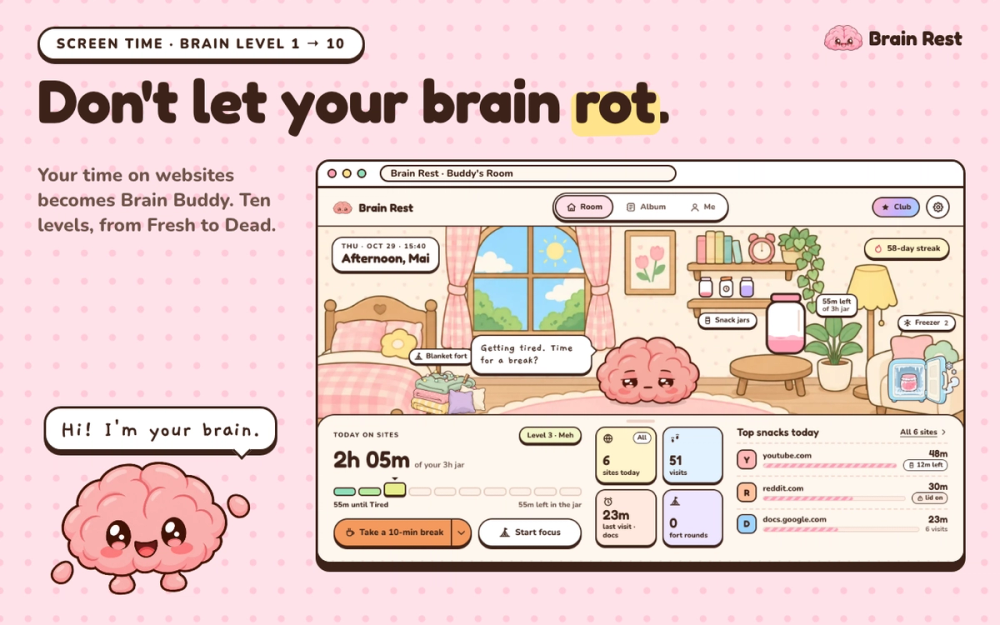
Brain Rest
Screen-time tracker with a mascot. Brain Buddy reacts as your screen time grows. Set app and site limits, block distractions, run focus sprints and lock apps at bedtime. Free on iPhone, Android, Chrome and Edge.
View Brain Rest →Feature Comparison
Invideo AI
- •Agentic video editing with Agent Two
- •Real-time multiplayer collaboration
- •Custom agent creation
- •Integration with external AI agents (e.g., ChatGPT)
- •Storyboarding and AI co-writing
Brain Rest
No features listed yet.
At a glance
| Invideo AI | Brain Rest | |
|---|---|---|
| Category | Video Generation | Other |
| Pricing | Paid | Unknown |
| Community Rating | 4.0 / 5 (1 reviews) | No reviews |
| Upvotes on Stremit | 214 | 0 |
| Website | invideo.io ↗ | brainrest.pro ↗ |
Invideo AI vs Brain Rest: Which is Better?
Choosing between Invideo AI and Brain Rest depends on your specific needs. While Invideo AI focuses on Video Generation and Brain Rest on Other, both tools can serve similar use cases. Compare their details above to find your best fit.
Visit the individual tool pages for more detailed information, community reviews, and feature breakdowns.
Frequently asked questions
What is the difference between Invideo AI and Brain Rest?
Invideo AI: Invideo allows users to create and edit videos using an agentic editor, letting AI agents handle detailed tasks like trimming, grading, and mixing. The platform supports describing edits in plain words, which the agent… Brain Rest: Screen-time tracker with a mascot. Brain Buddy reacts as your screen time grows. Set app and site limits, block distractions, run focus sprints and lock apps at bedtime. Free on iPhone, Android, Chrome and Edge.
Is Invideo AI free?
Invideo AI is listed as Paid on Stremit. Check the tool's site for current plans.
Is Brain Rest free?
Brain Rest is listed as Unknown on Stremit. Check the tool's site for current plans.