MangaAI vs Fast Image AI Sketch to Image
A detailed comparison to help you choose the right AI tool for your workflow.

MangaAI
MangaAI is an AI manga generator that turns a written story, script, or scene prompt into complete manga pages with layouts, recurring characters, dialogue, and speech bubbles. Everything stays editable, so panels, speech bubbles, and dialogue can be adjusted on each page. It runs in the browser and needs no app download. It is built for writers, artists, independent creators, educators, studios, and marketing teams who want to visualize scripts, chapter outlines, or pitches as sequential pages. Users can pick a style such as classic monochrome, full-color manga, or vertical webtoon art, and save character references to keep the cast recognizable across scenes. What sets it apart is that generating panels, reusing character profiles, editing layouts, exporting, and publishing to a community Gallery all happen in one workspace. A single panel can be regenerated without rebuilding the whole page.
View MangaAI →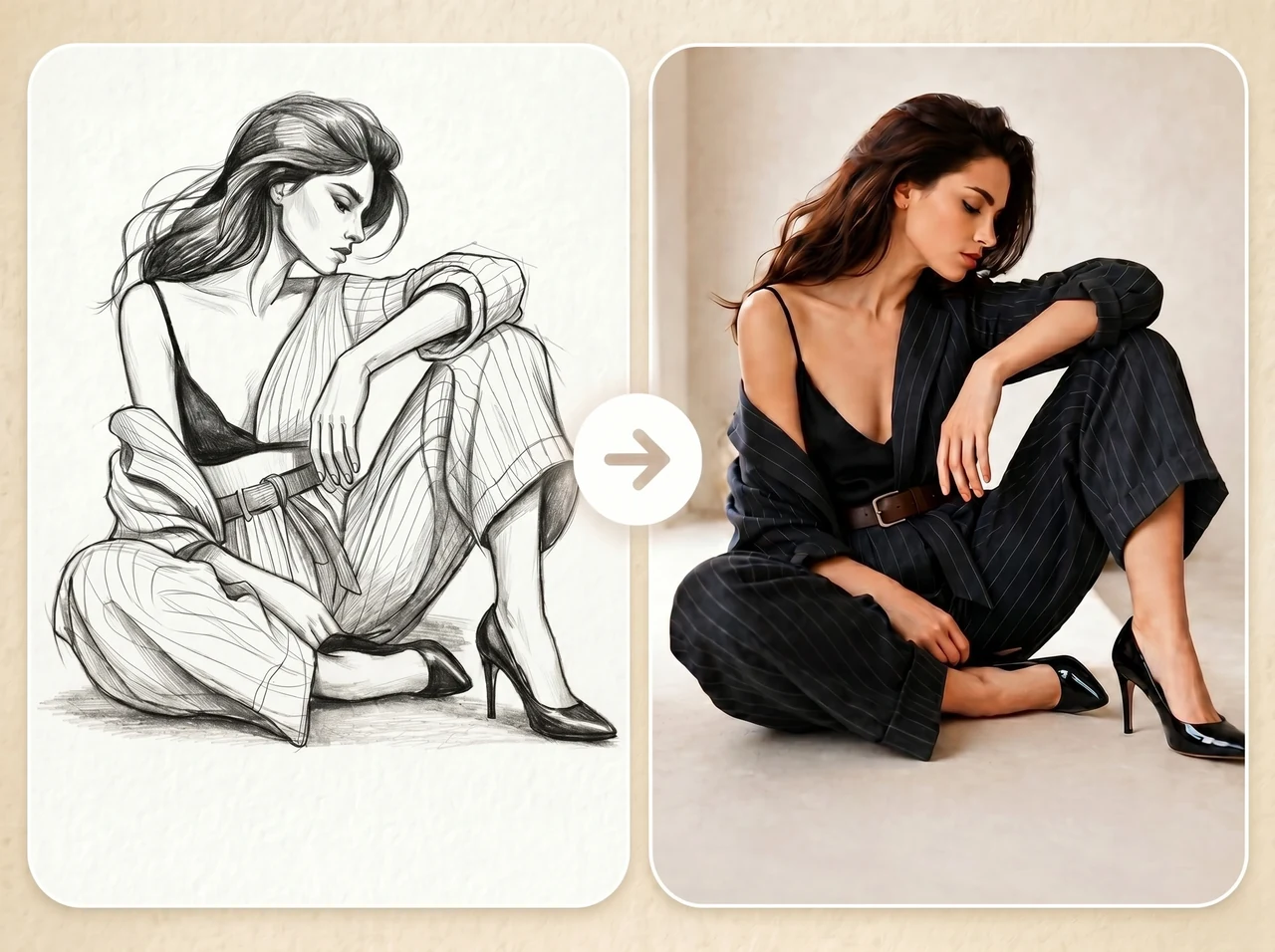
Fast Image AI Sketch to Image
Fast Image AI is an online tool that turns a sketch into a detailed, realistic AI-generated image. Users upload a rough drawing, line art, or hand-drawn sketch, then add a prompt that describes the style, colors, lighting, materials, and background. The AI follows the shape, structure, and composition of the original sketch and generates a complete image that can be downloaded. The tool is aimed at people who want to move from an early idea to a visual quickly, including those without design skills. The site lists uses such as concept art, product design, character design, game art, interior design, architecture drafts, fashion ideas, and social media visuals. It differs from starting on a blank canvas because the output keeps the composition of the user's own sketch while adding colors, lighting, and textures. The site states that it can be used online for free and is beginner-friendly.
View Fast Image AI Sketch to Image →Feature Comparison
MangaAI
No features listed yet.
Fast Image AI Sketch to Image
- •Upload sketches, line art, or hand-drawn drawings
- •Prompts control style, colors, lighting, materials, and background
- •Keeps the shape, structure, and composition of the original sketch
- •Generates complete images in seconds
- •Instant download of final images
- •No design skills required
At a glance
| MangaAI | Fast Image AI Sketch to Image | |
|---|---|---|
| Category | Image Generation | Image Generation |
| Pricing | Free | Freemium |
| Community Rating | No reviews | No reviews |
| Upvotes on Stremit | 0 | 56 |
| Website | mangaai.me ↗ | fastimage.ai ↗ |
MangaAI vs Fast Image AI Sketch to Image: Which is Better?
Choosing between MangaAI and Fast Image AI Sketch to Image depends on your specific needs. Both tools belong to the Image Generation category, making them direct competitors. Compare their pricing, features, and user reviews above to make the best choice for your workflow.
Visit the individual tool pages for more detailed information, community reviews, and feature breakdowns.
Frequently asked questions
What is the difference between MangaAI and Fast Image AI Sketch to Image?
MangaAI: MangaAI is an AI manga generator that turns a written story, script, or scene prompt into complete manga pages with layouts, recurring characters, dialogue, and speech bubbles. Everything stays editable, so panels,… Fast Image AI Sketch to Image: Fast Image AI is an online tool that turns a sketch into a detailed, realistic AI-generated image. Users upload a rough drawing, line art, or hand-drawn sketch, then add a prompt that describes the style, colors,…
Is MangaAI free?
MangaAI is listed as Free on Stremit. Check the tool's site for current plans.
Is Fast Image AI Sketch to Image free?
Fast Image AI Sketch to Image is listed as Freemium on Stremit. Check the tool's site for current plans.
Are MangaAI and Fast Image AI Sketch to Image competitors?
Yes — both are Image Generation tools on Stremit, so people often compare them before choosing.