Opal vs WorkBeaver: Autopilot For Your Work
A detailed comparison to help you choose the right AI tool for your workflow.
Opal
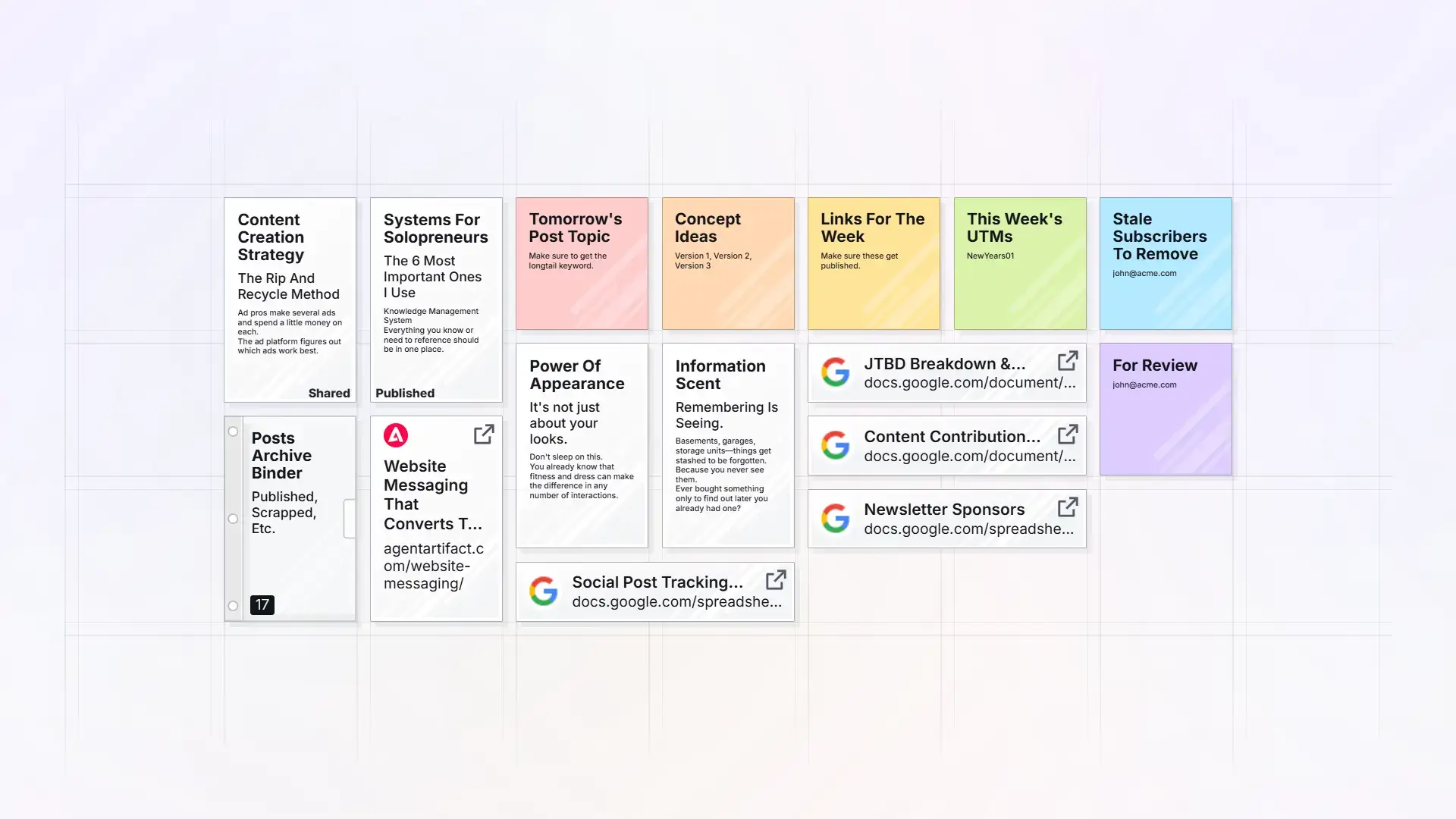
Opal Recall is a spatial note taking app. Users create or drag notes, docs, links, binders, files, and Google Docs and Sheets onto large, pannable digital desks. Items are placed on a visual grid, so users can find them by where they were put rather than by typing into a search box. It is built for freelancers, solopreneurs, and small teams who want to see all of a project's material at once. The site describes its setup as simple, with no onboarding wizard and no folder to choose when adding an item. The main difference from folder- and page-based tools is that the desk is the organizing structure. Users can open several items side by side in one tab, and each workspace gets its own URL. Access is currently by invitation in batches, and users register to reserve a spot.
View Opal →
WorkBeaver: Autopilot For Your Work
WorkBeaver is an AI automation sidekick designed to eliminate repetitive clicks and tasks, allowing users to automate virtually any browser work. Users simply describe the desired task, review the steps, and let the platform execute the work, whether immediately or on a schedule. It is designed for non-technical teams and real people, working even if the user cannot code. Automation use cases include monitoring websites for updates, sorting emails and extracting leads, collecting product details into structured data, and keeping spreadsheets up to date. The tool focuses on ease of use and security, offering browser extension access and local AI support for privacy. Users can start with a free starter tier and choose between monthly subscriptions or a one-time purchase for lifetime access.
View WorkBeaver: Autopilot For Your Work →Feature Comparison
Opal
- •Large, pannable digital desk for placing items on a grid
- •Drag-and-drop notes, docs, links, binders, and files
- •Google Docs and Google Sheets support
- •Open multiple items side by side in one tab
- •Find items by location without typing a search
- •Unique workspace URL for each user
WorkBeaver: Autopilot For Your Work
- •Browser extension access
- •Local AI support for privacy
- •Schedule recurring work
- •Handle forms and portals
- •Collect data from websites
At a glance
| Opal | WorkBeaver: Autopilot For Your Work | |
|---|---|---|
| Category | Productivity | Productivity |
| Pricing | — | Freemium |
| Community Rating | No reviews | No reviews |
| Upvotes on Stremit | 47 | 196 |
| Website | opalrecall.com ↗ | workbeaver.com?aff=pifxio ↗ |
Opal vs WorkBeaver: Autopilot For Your Work: Which is Better?
Choosing between Opal and WorkBeaver: Autopilot For Your Work depends on your specific needs. Both tools belong to the Productivity category, making them direct competitors. Compare their pricing, features, and user reviews above to make the best choice for your workflow.
Visit the individual tool pages for more detailed information, community reviews, and feature breakdowns.
Frequently asked questions
What is the difference between Opal and WorkBeaver: Autopilot For Your Work?
Opal: Opal Recall is a spatial note taking app. Users create or drag notes, docs, links, binders, files, and Google Docs and Sheets onto large, pannable digital desks. Items are placed on a visual grid, so users can find them… WorkBeaver: Autopilot For Your Work: WorkBeaver is an AI automation sidekick designed to eliminate repetitive clicks and tasks, allowing users to automate virtually any browser work. Users simply describe the desired task, review the steps, and let the…
Is WorkBeaver: Autopilot For Your Work free?
WorkBeaver: Autopilot For Your Work is listed as Freemium on Stremit. Check the tool's site for current plans.
Are Opal and WorkBeaver: Autopilot For Your Work competitors?
Yes — both are Productivity tools on Stremit, so people often compare them before choosing.