Prompt2CAD — From Idea to Parametric CAD with AI vs Eduard
A detailed comparison to help you choose the right AI tool for your workflow.
Prompt2CAD — From Idea to Parametric CAD with AI
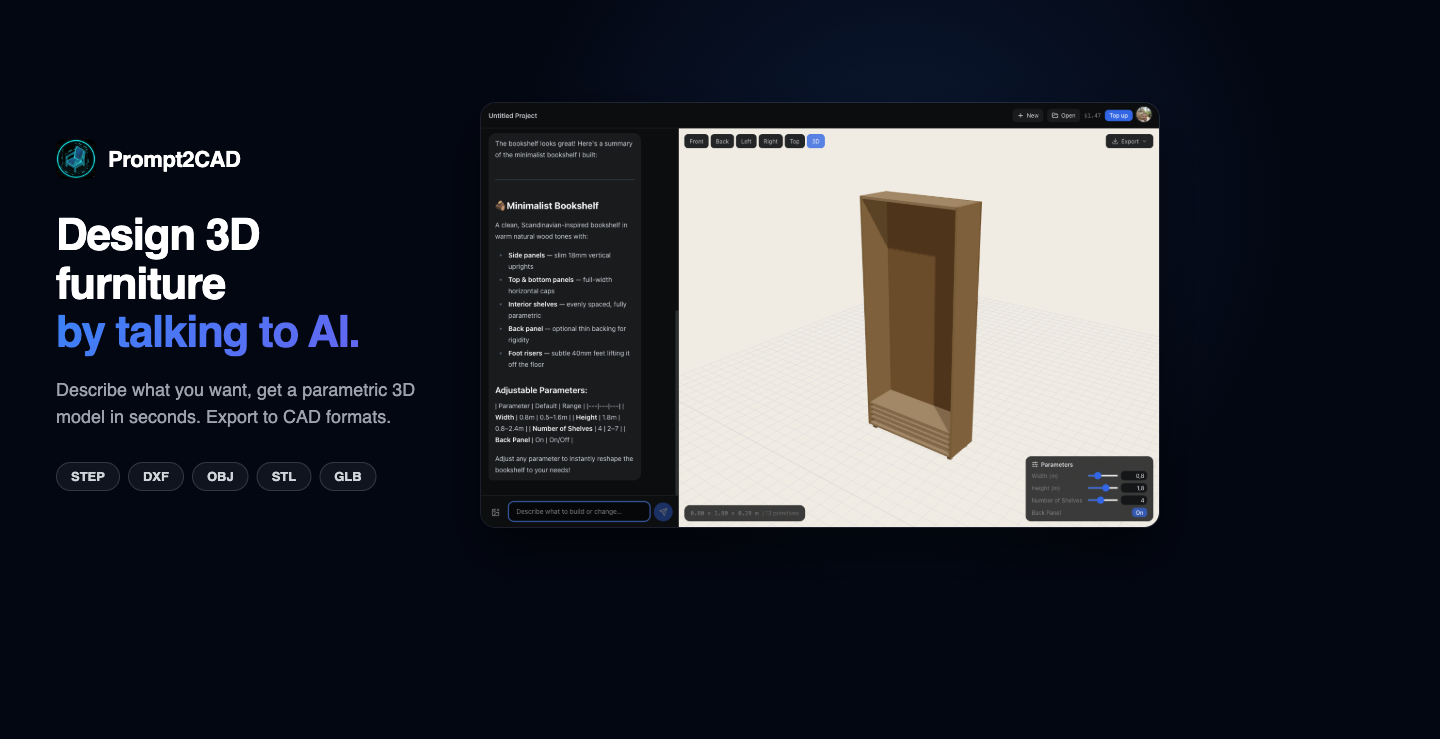
Prompt2CAD transforms plain language ideas into fully editable, parametric CAD models. It functions as an AI agent that guides the entire modeling process, converting briefs for custom furniture, built-ins, mechanical parts, and products into dimensioned 3D geometry. Users interact conversationally, telling the agent what to build, refining the design by selecting parts or asking for specific changes. The model provides parametric controls—like sliders for width or height—allowing instant adjustments without starting over. It is ideal for designers, engineers, and hobbyists who need real, working CAD files, not simple meshes. Models can be created from text descriptions, uploaded reference images, or existing CAD files (DWG, DXF, OBJ, etc.), and exported to professional formats like STEP, DXF, and STL.
View Prompt2CAD — From Idea to Parametric CAD with AI →
Eduard
Eduard is a relief shading app that creates Swiss-style shaded relief images for maps. It uses machine learning to produce shaded relief from digital elevation models, and it can download elevation data from many places on Earth or import common elevation file formats. It is built for cartographers who make terrain maps. Eduard for macOS is the full desktop application, with map rotation, layers, masks and curves. Eduard Cloud runs in a web browser on Windows, macOS and Linux and suits users who do not have a Mac or only need to make a small number of shaded reliefs. What sets it apart is control over the shading. Light rotation adjusts the illumination locally to show small details and emphasize large landforms, while aerial perspective and generalization tune how peaks and terrain detail appear at a given map scale. A free demo is available, though it does not include import and download functions.
View Eduard →Feature Comparison
Prompt2CAD — From Idea to Parametric CAD with AI
- •Converts plain language briefs to CAD
- •Supports parametric controls and dimension adjustments
- •Handles complex designs (furniture, mechanical parts)
- •Imports existing CAD/3D models (DXF, OBJ, STL)
- •Outputs editable CAD files (STEP, DXF, 3MF)
Eduard
No features listed yet.
At a glance
| Prompt2CAD — From Idea to Parametric CAD with AI | Eduard | |
|---|---|---|
| Category | Design & UI | Design & UI |
| Pricing | — | Freemium |
| Community Rating | No reviews | No reviews |
| Upvotes on Stremit | 65 | 0 |
| Website | prompt2cad.com ↗ | eduard.earth ↗ |
Prompt2CAD — From Idea to Parametric CAD with AI vs Eduard: Which is Better?
Choosing between Prompt2CAD — From Idea to Parametric CAD with AI and Eduard depends on your specific needs. Both tools belong to the Design & UI category, making them direct competitors. Compare their pricing, features, and user reviews above to make the best choice for your workflow.
Visit the individual tool pages for more detailed information, community reviews, and feature breakdowns.
Frequently asked questions
What is the difference between Prompt2CAD — From Idea to Parametric CAD with AI and Eduard?
Prompt2CAD — From Idea to Parametric CAD with AI: Prompt2CAD transforms plain language ideas into fully editable, parametric CAD models. It functions as an AI agent that guides the entire modeling process, converting briefs for custom furniture, built-ins, mechanical… Eduard: Eduard is a relief shading app that creates Swiss-style shaded relief images for maps. It uses machine learning to produce shaded relief from digital elevation models, and it can download elevation data from many places…
Is Eduard free?
Eduard is listed as Freemium on Stremit. Check the tool's site for current plans.
Are Prompt2CAD — From Idea to Parametric CAD with AI and Eduard competitors?
Yes — both are Design & UI tools on Stremit, so people often compare them before choosing.