Prompt2CAD — From Idea to Parametric CAD with AI vs RemoveMate
A detailed comparison to help you choose the right AI tool for your workflow.
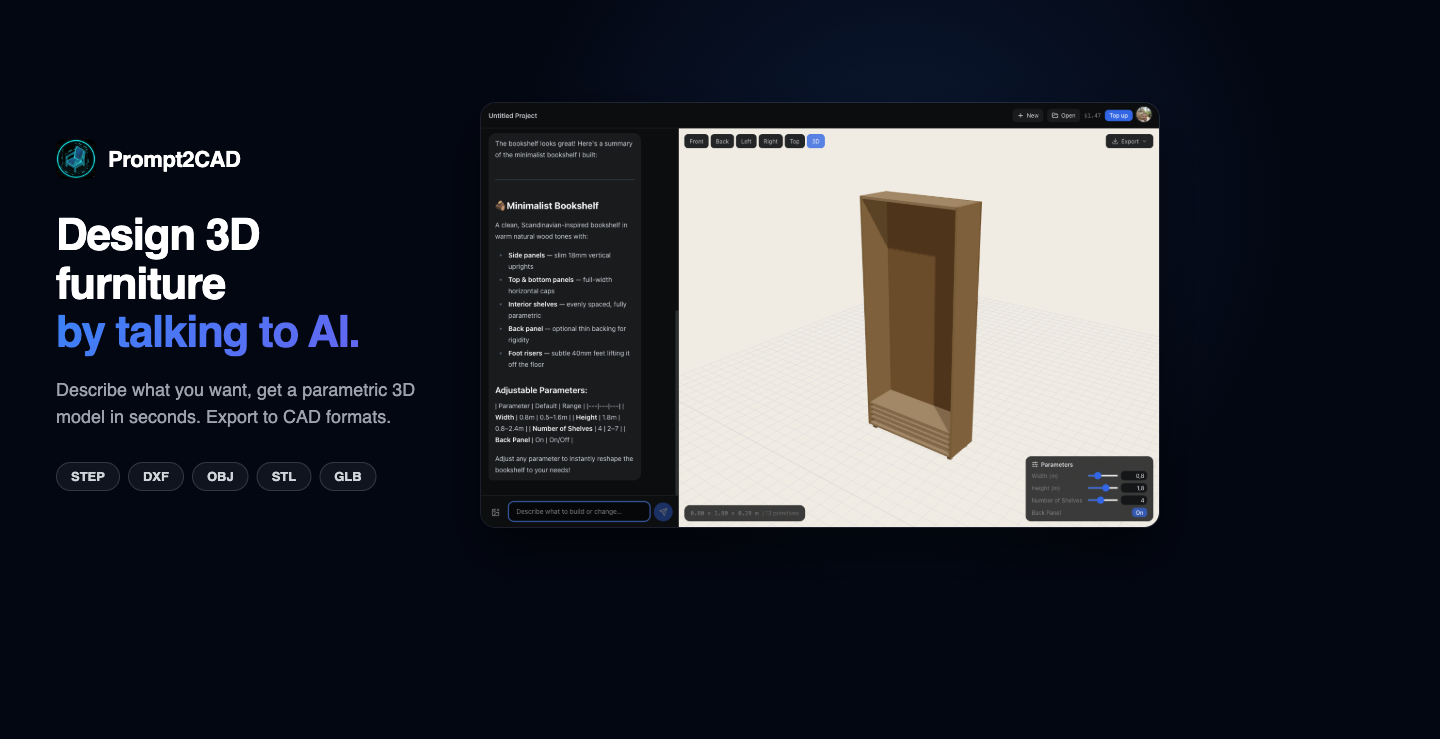
Prompt2CAD — From Idea to Parametric CAD with AI
Prompt2CAD transforms plain language ideas into fully editable, parametric CAD models. It functions as an AI agent that guides the entire modeling process, converting briefs for custom furniture, built-ins, mechanical parts, and products into dimensioned 3D geometry. Users interact conversationally, telling the agent what to build, refining the design by selecting parts or asking for specific changes. The model provides parametric controls—like sliders for width or height—allowing instant adjustments without starting over. It is ideal for designers, engineers, and hobbyists who need real, working CAD files, not simple meshes. Models can be created from text descriptions, uploaded reference images, or existing CAD files (DWG, DXF, OBJ, etc.), and exported to professional formats like STEP, DXF, and STL.
View Prompt2CAD — From Idea to Parametric CAD with AI →
RemoveMate
RemoveMate is an AI-powered online suite designed for high-quality image cleanup. Its core feature is automatic background removal, allowing users to upload photos of products, portraits, or pets and instantly receive a cutout. This process is simple, requiring no prompts and providing a preview before the result is downloaded. Beyond background removal, the tool includes advanced cleanup tools such as AI Watermark Removal, which clears overlays while preserving detail. Users can also unblur images to restore clarity, remove unwanted text (like dates or captions), and refine various visual imperfections. It is designed for e-commerce sellers, marketers, and creators who need consistent, clean visuals for shop listings, catalogs, and profiles. The tools work in the browser, allowing users to streamline image preparation for professional use.
View RemoveMate →Feature Comparison
Prompt2CAD — From Idea to Parametric CAD with AI
- •Converts plain language briefs to CAD
- •Supports parametric controls and dimension adjustments
- •Handles complex designs (furniture, mechanical parts)
- •Imports existing CAD/3D models (DXF, OBJ, STL)
- •Outputs editable CAD files (STEP, DXF, 3MF)
RemoveMate
- •Automatic background removal
- •AI Watermark Remover
- •Image Unblurring
- •Text removal
- •Support for JPG, PNG, WebP
At a glance
| Prompt2CAD — From Idea to Parametric CAD with AI | RemoveMate | |
|---|---|---|
| Category | Design & UI | Design & UI |
| Pricing | — | Freemium |
| Community Rating | No reviews | No reviews |
| Upvotes on Stremit | 65 | 0 |
| Website | prompt2cad.com ↗ | removemate.com ↗ |
Prompt2CAD — From Idea to Parametric CAD with AI vs RemoveMate: Which is Better?
Choosing between Prompt2CAD — From Idea to Parametric CAD with AI and RemoveMate depends on your specific needs. Both tools belong to the Design & UI category, making them direct competitors. Compare their pricing, features, and user reviews above to make the best choice for your workflow.
Visit the individual tool pages for more detailed information, community reviews, and feature breakdowns.
Frequently asked questions
What is the difference between Prompt2CAD — From Idea to Parametric CAD with AI and RemoveMate?
Prompt2CAD — From Idea to Parametric CAD with AI: Prompt2CAD transforms plain language ideas into fully editable, parametric CAD models. It functions as an AI agent that guides the entire modeling process, converting briefs for custom furniture, built-ins, mechanical… RemoveMate: RemoveMate is an AI-powered online suite designed for high-quality image cleanup. Its core feature is automatic background removal, allowing users to upload photos of products, portraits, or pets and instantly receive a…
Is RemoveMate free?
RemoveMate is listed as Freemium on Stremit. Check the tool's site for current plans.
Are Prompt2CAD — From Idea to Parametric CAD with AI and RemoveMate competitors?
Yes — both are Design & UI tools on Stremit, so people often compare them before choosing.