Recto vs AI Room Planner
A detailed comparison to help you choose the right AI tool for your workflow.
Recto
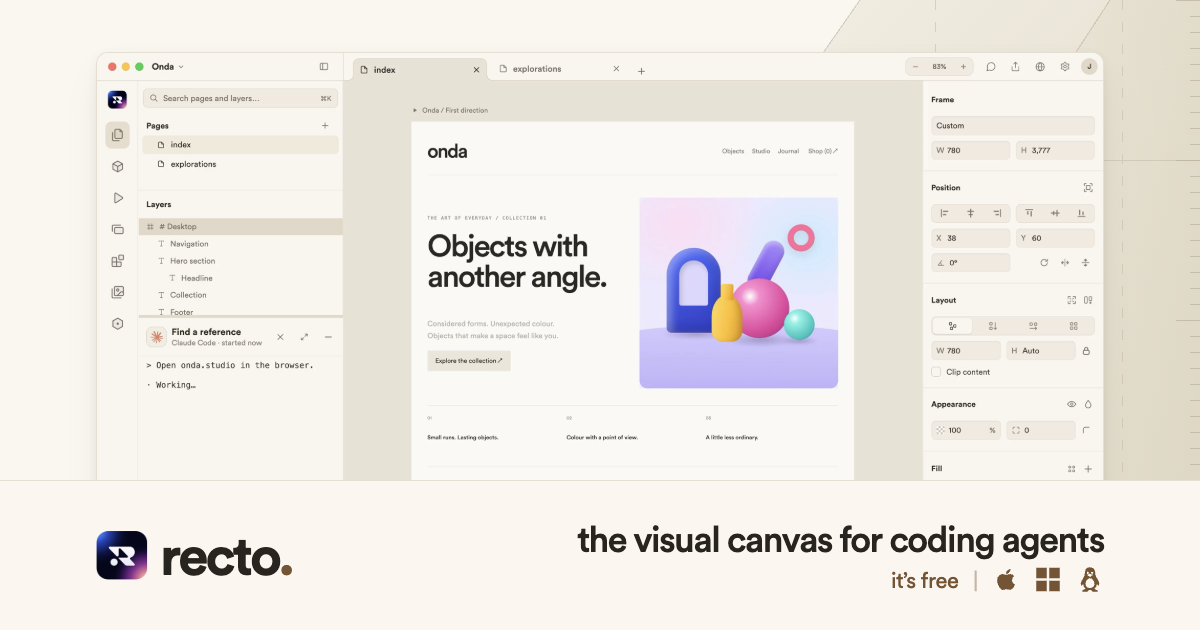
Recto is a visual canvas designed for coding agents, allowing users to build complex UI, motion, and 3D designs within a single environment. It functions by integrating powerful coding agents—such as Claude Code, Codex, and Cursor—directly into a real-time visual workspace. It is built for developers and designers who rely on AI agents but struggle with the fragmentation of traditional workflows. Recto eliminates the need to switch between terminals, browser previews, screenshots, and prompts, providing a fluid, collaborative design experience. What sets Recto apart is its local, fast operation. It runs directly on your computer, ensuring there are no network round-trips or API configurations required. This local architecture allows agents to work together seamlessly, enabling users to see every change, edit directly on the canvas, or reprompt the system without leaving the tool.
View Recto →
AI Room Planner
AI Room Planner helps users design interior spaces, providing a wide range of ideas for various rooms. It is suitable for individuals seeking interior design inspiration. The tool generates multiple design concepts, allowing users to choose the one that suits their style and preferences. AI Room Planner is free, with no limit on usage, making it accessible to a wide audience. AI Room Planner is a user-friendly interface that enables users to input dimensions and select materials to create a personalized design plan. The tool's AI algorithm generates multiple design options, considering various factors such as lighting, color, and furniture layout. What sets AI Room Planner apart is its ability to provide a vast range of design ideas, catering to different tastes and styles.
View AI Room Planner →Feature Comparison
Recto
- •Builds UI, motion, and 3D designs
- •Visual canvas for coding agents
- •Works with multiple coding AI agents
- •Runs entirely locally for speed
- •Allows direct canvas editing and reprompting
AI Room Planner
- •input dimensions
- •select materials
- •AI algorithm generates design options
- •various design styles
At a glance
| Recto | AI Room Planner | |
|---|---|---|
| Category | Design & UI | Design & UI |
| Pricing | Free | Free |
| Community Rating | No reviews | No reviews |
| Upvotes on Stremit | 0 | 52 |
| Website | recto.design ↗ | airoomplanner.com ↗ |
Recto vs AI Room Planner: Which is Better?
Choosing between Recto and AI Room Planner depends on your specific needs. Both tools belong to the Design & UI category, making them direct competitors. Compare their pricing, features, and user reviews above to make the best choice for your workflow.
Visit the individual tool pages for more detailed information, community reviews, and feature breakdowns.
Frequently asked questions
What is the difference between Recto and AI Room Planner?
Recto: Recto is a visual canvas designed for coding agents, allowing users to build complex UI, motion, and 3D designs within a single environment. It functions by integrating powerful coding agents—such as Claude Code, Codex,… AI Room Planner: AI Room Planner helps users design interior spaces, providing a wide range of ideas for various rooms. It is suitable for individuals seeking interior design inspiration. The tool generates multiple design concepts,…
Is Recto free?
Recto is listed as Free on Stremit. Check the tool's site for current plans.
Is AI Room Planner free?
AI Room Planner is listed as Free on Stremit. Check the tool's site for current plans.
Are Recto and AI Room Planner competitors?
Yes — both are Design & UI tools on Stremit, so people often compare them before choosing.