UI Design Made Easy, Powered By AI vs Animated Drawings
A detailed comparison to help you choose the right AI tool for your workflow.
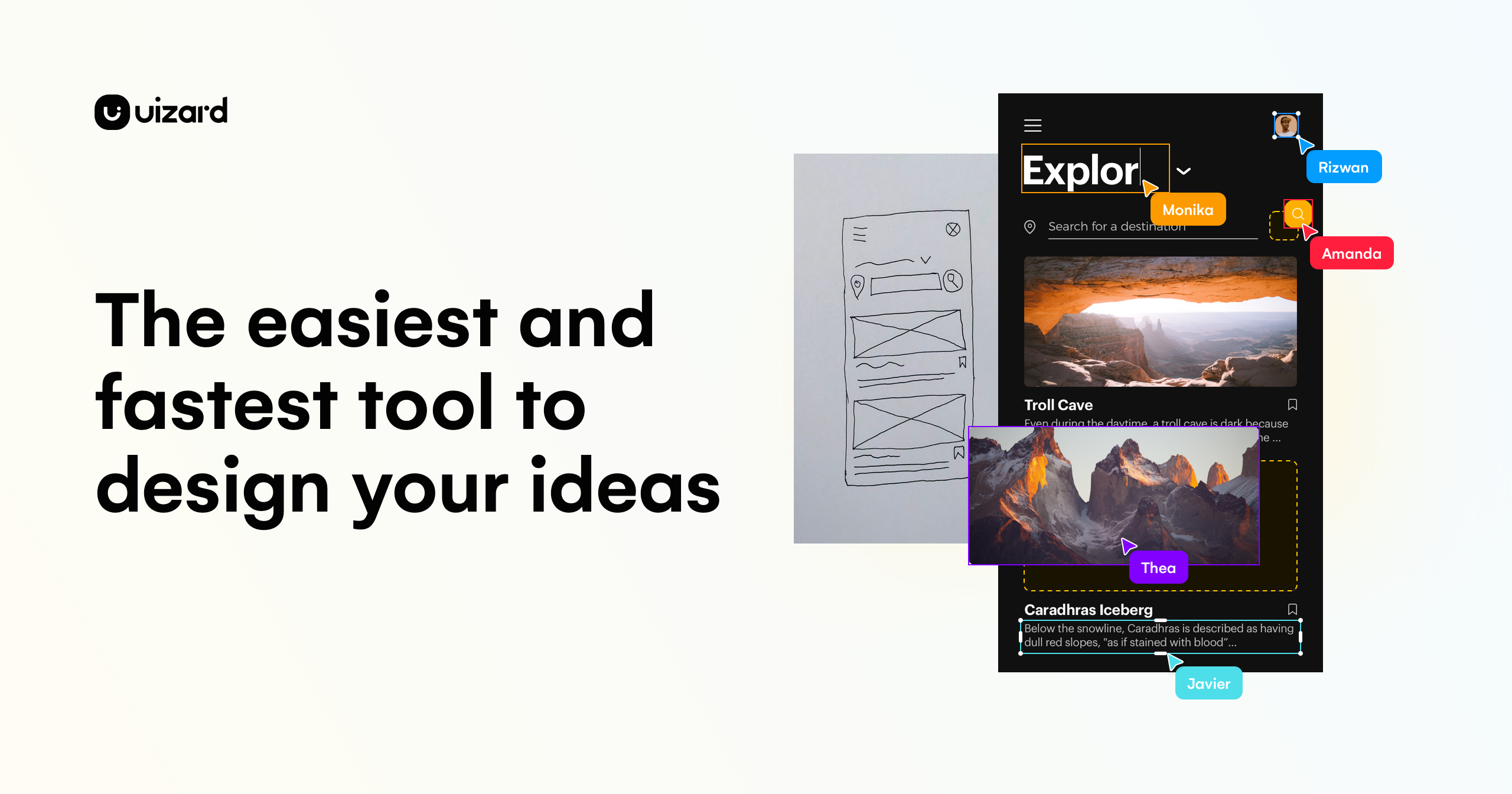
UI Design Made Easy, Powered By AI
Uizard is an AI-powered UI design tool for apps, websites, and desktop software. Users can generate multi-screen, editable prototypes from a simple text prompt using Autodesigner, turn screenshots or hand-drawn wireframes into editable mockups, and create new themes to change a project's style. Teams can collaborate in real time. The tool is aimed at product managers and product teams, designers and UX professionals, marketers, startup founders, consultants and agencies, and developers. The site also offers an Enterprise option for large businesses. It states that if you can use Google Slides or PowerPoint, you can use Uizard. What sets it apart is the combination of AI generation with a standard design editor. Components can be selected, described, and changed with Autodesigner, and the generated screens and components remain editable rather than fixed images.
View UI Design Made Easy, Powered By AI →
Animated Drawings
Transform static sketches into fun animations. This tool is for artists and designers who want to bring their sketches to life. It makes animated drawings different from other animation tools by using AI to generate realistic animations. It's suitable for artists and designers who want to create engaging and dynamic visual content. What sets it apart is its focus on using AI to generate realistic animations, making it a unique tool in the animation space.
View Animated Drawings →Feature Comparison
UI Design Made Easy, Powered By AI
- •Text-to-prototype generation of multi-screen, editable designs
- •Autodesigner for modifying individual components with text prompts
- •Screenshot Scanner that turns screenshots into editable mockups
- •Wireframe Scanner that digitizes hand-drawn wireframes
- •Theme generation to change a project's style instantly
- •Real-time collaboration with the product team
Animated Drawings
- •Transform static sketches into animations
- •Uses AI to generate realistic animations
At a glance
| UI Design Made Easy, Powered By AI | Animated Drawings | |
|---|---|---|
| Category | Design & UI | Design & UI |
| Pricing | — | Freemium |
| Community Rating | No reviews | No reviews |
| Upvotes on Stremit | 45 | 71 |
| Website | uizard.io ↗ | sketch.metademolab.com ↗ |
UI Design Made Easy, Powered By AI vs Animated Drawings: Which is Better?
Choosing between UI Design Made Easy, Powered By AI and Animated Drawings depends on your specific needs. Both tools belong to the Design & UI category, making them direct competitors. Compare their pricing, features, and user reviews above to make the best choice for your workflow.
Visit the individual tool pages for more detailed information, community reviews, and feature breakdowns.
Frequently asked questions
What is the difference between UI Design Made Easy, Powered By AI and Animated Drawings?
UI Design Made Easy, Powered By AI: Uizard is an AI-powered UI design tool for apps, websites, and desktop software. Users can generate multi-screen, editable prototypes from a simple text prompt using Autodesigner, turn screenshots or hand-drawn… Animated Drawings: Transform static sketches into fun animations. This tool is for artists and designers who want to bring their sketches to life. It makes animated drawings different from other animation tools by using AI to generate…
Is Animated Drawings free?
Animated Drawings is listed as Freemium on Stremit. Check the tool's site for current plans.
Are UI Design Made Easy, Powered By AI and Animated Drawings competitors?
Yes — both are Design & UI tools on Stremit, so people often compare them before choosing.