Blotato vs. Linked Helper
Ein ausführlicher Vergleich, der dir hilft, das richtige KI-Tool für deinen Workflow zu wählen.

Blotato
Blotato provides a unified Social Media API and MCP server designed specifically for integrating social media management into AI agents like ChatGPT and Claude. It enables users to create, schedule, and publish content across 9+ networks, including X, LinkedIn, Instagram, TikTok, and YouTube. This tool allows AI agents to handle complex functions such as reading and responding to DMs and comments, tracking post analytics, and generating visual content, all without requiring manual copy-pasting or code writing. It is primarily for AI agents, business owners, and developers looking to automate cross-platform marketing. Its unique unified API allows multiple features—from scheduling to analytics—to be called directly as tools within the AI agent you already use.
Blotato ansehen →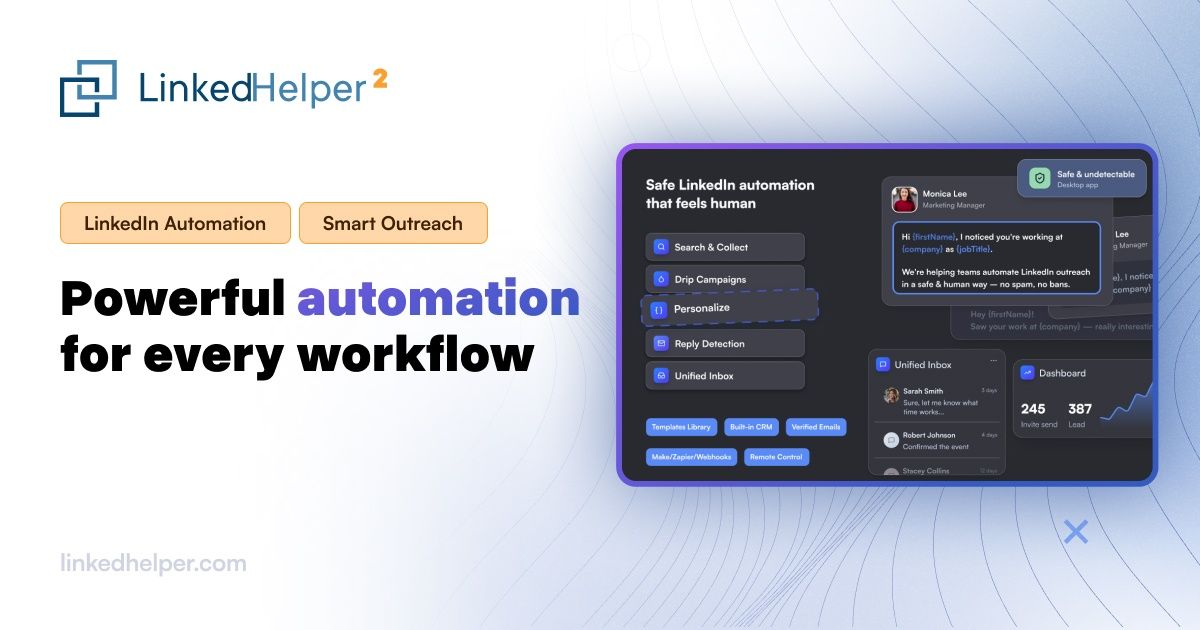
Linked Helper
Linked Helper is LinkedIn automation software that runs as a desktop app. It automates connection invites, follow-ups, profile visits and data export, and its built-in AI writes personalized messages and qualifies leads against an Ideal Customer Profile. The tool is aimed at sales and outreach teams that run lead generation on LinkedIn. Users can manage contacts in a native CRM, sort leads with custom tags, and build drip campaigns with reply detection. It works with free Basic and Premium LinkedIn accounts, and can process leads across LinkedIn, Sales Navigator, Recruiter and Talent. The site states that Linked Helper is a desktop app, not a Chrome extension, and that no code is injected into the LinkedIn page. It includes smart daily limits, rolling 24-hour caps, work hours, randomized delays, and a dedicated IP per profile. A 14-day free trial is offered.
Linked Helper ansehen →Funktionsvergleich
Blotato
- •Publish to 9+ platforms (e.g., X, LinkedIn, TikTok)
- •Read analytics and manage DMs/comments
- •Direct integration with ChatGPT and Claude
- •Generate visual assets (carousels, videos)
- •Schedule recurring posts and content
Linked Helper
- •AI-personalized connection invites and follow-up messages
- •ICP detection that filters leads before outreach
- •Built-in CRM with custom tags and advanced search
- •Drip campaigns with built-in reply detection
- •Smart daily limits, randomized delays, and dedicated IP per profile
- •Works with free Basic and Premium LinkedIn accounts
Auf einen Blick
| Blotato | Linked Helper | |
|---|---|---|
| Kategorie | Automation | Automation |
| Preise | Free Trial | Free Trial |
| Community-Bewertung | Keine Bewertungen | Keine Bewertungen |
| Upvotes auf Stremit | 169 | 46 |
| Website | blotato.com ↗ | linkedhelper.com ↗ |
Blotato vs. Linked Helper: Was ist besser?
Ob Blotato oder Linked Helper besser passt, hängt von deinen konkreten Anforderungen ab. Beide Tools gehören zur Kategorie Automation und sind damit direkte Konkurrenten. Vergleiche oben Preise, Funktionen und Nutzerbewertungen, um die beste Wahl für deinen Workflow zu treffen.
Auf den einzelnen Tool-Seiten findest du ausführlichere Infos, Community-Bewertungen und Funktionsübersichten.
Häufige Fragen
What is the difference between Blotato and Linked Helper?
Blotato: Blotato provides a unified Social Media API and MCP server designed specifically for integrating social media management into AI agents like ChatGPT and Claude. It enables users to create, schedule, and publish content… Linked Helper: Linked Helper is LinkedIn automation software that runs as a desktop app. It automates connection invites, follow-ups, profile visits and data export, and its built-in AI writes personalized messages and qualifies leads…
Is Blotato free?
Blotato is listed as Free Trial on Stremit. Check the tool's site for current plans.
Is Linked Helper free?
Linked Helper is listed as Free Trial on Stremit. Check the tool's site for current plans.
Are Blotato and Linked Helper competitors?
Yes — both are Automation tools on Stremit, so people often compare them before choosing.