QuiverAI vs Recto
Una comparación detallada para ayudarte a elegir la herramienta de IA adecuada para tu flujo de trabajo.
QuiverAI
QuiverAI generates, edits, and animates editable SVG vector graphics. It offers text to SVG, image to SVG vectorization, and SVG animation, with output designed to work in design tools. Its Arrow 2 model covers logos, illustrations, and animations, and typography is listed as coming soon. The tool is aimed at design teams building product, brand, and marketing assets. Developers can reach it through a REST API, Node.js and Vercel AI SDK packages, an MCP server for agents, and a CLI that installs SVGs as React components. QuiverAI's main difference is that its output stays as editable vectors rather than flat images. Animations run directly on the vector shapes and remain lightweight and controllable. Sandbox API keys return deterministic output and are not billed.
Ver QuiverAI →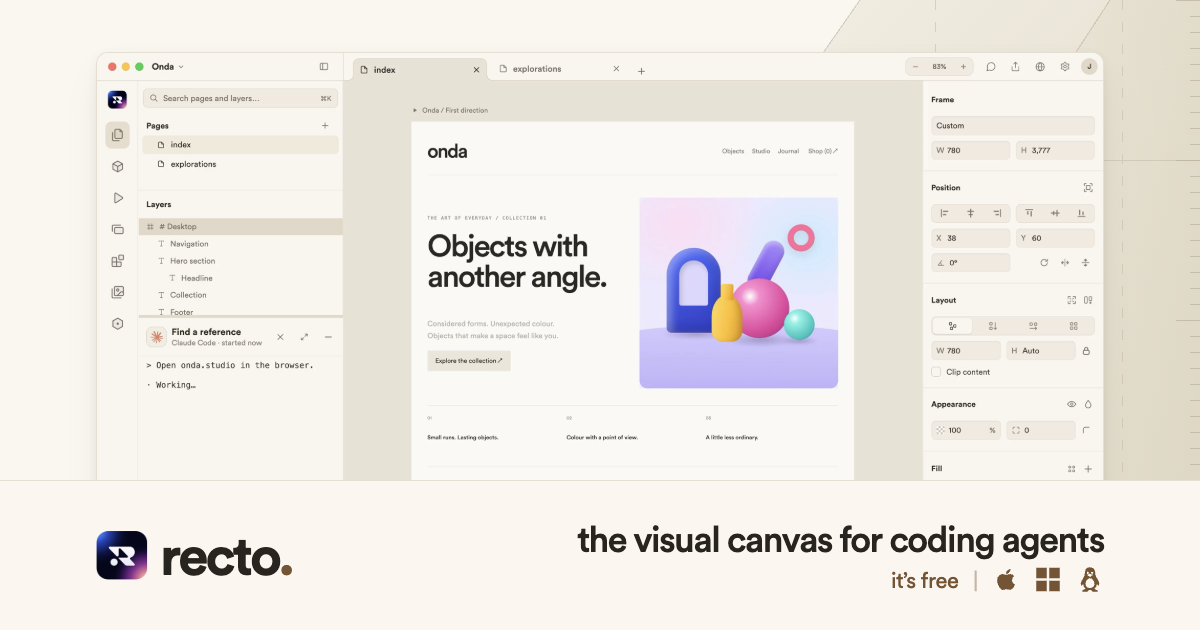
Recto
Recto is a visual canvas designed for coding agents, allowing users to build complex UI, motion, and 3D designs within a single environment. It functions by integrating powerful coding agents—such as Claude Code, Codex, and Cursor—directly into a real-time visual workspace. It is built for developers and designers who rely on AI agents but struggle with the fragmentation of traditional workflows. Recto eliminates the need to switch between terminals, browser previews, screenshots, and prompts, providing a fluid, collaborative design experience. What sets Recto apart is its local, fast operation. It runs directly on your computer, ensuring there are no network round-trips or API configurations required. This local architecture allows agents to work together seamlessly, enabling users to see every change, edit directly on the canvas, or reprompt the system without leaving the tool.
Ver Recto →Comparación de funciones
QuiverAI
- •Text to SVG generation from prompts and references
- •Image to SVG vectorization
- •Direct SVG animation for logos, icons, and illustrations
- •Logo and illustration generation with editable vector output
- •REST API, Node.js SDK, and Vercel AI SDK support
- •MCP server, Cursor and Codex plugins, and CLI for React components
Recto
- •Builds UI, motion, and 3D designs
- •Visual canvas for coding agents
- •Works with multiple coding AI agents
- •Runs entirely locally for speed
- •Allows direct canvas editing and reprompting
De un vistazo
| QuiverAI | Recto | |
|---|---|---|
| Categoría | Design & UI | Design & UI |
| Precios | Contact for Pricing | Free |
| Valoración de la Comunidad | Sin reseñas | Sin reseñas |
| Votos en Stremit | 72 | 0 |
| Sitio web | quiver.ai ↗ | recto.design ↗ |
QuiverAI vs Recto: ¿cuál es mejor?
Elegir entre QuiverAI y Recto depende de tus necesidades concretas. Las dos herramientas pertenecen a la categoría Design & UI , así que son competidoras directas. Compara arriba sus precios, funciones y reseñas para tomar la mejor decisión para tu flujo de trabajo.
Visita la página de cada herramienta para ver información más detallada, reseñas de la comunidad y el desglose de funciones.
Preguntas frecuentes
What is the difference between QuiverAI and Recto?
QuiverAI: QuiverAI generates, edits, and animates editable SVG vector graphics. It offers text to SVG, image to SVG vectorization, and SVG animation, with output designed to work in design tools. Its Arrow 2 model covers logos,… Recto: Recto is a visual canvas designed for coding agents, allowing users to build complex UI, motion, and 3D designs within a single environment. It functions by integrating powerful coding agents—such as Claude Code, Codex,…
Is QuiverAI free?
QuiverAI is listed as Contact for Pricing on Stremit. Check the tool's site for current plans.
Is Recto free?
Recto is listed as Free on Stremit. Check the tool's site for current plans.
Are QuiverAI and Recto competitors?
Yes — both are Design & UI tools on Stremit, so people often compare them before choosing.