Animated Drawings vs Recto
Une comparaison détaillée pour vous aider à choisir le bon outil IA pour votre workflow.

Animated Drawings
Transform static sketches into fun animations. This tool is for artists and designers who want to bring their sketches to life. It makes animated drawings different from other animation tools by using AI to generate realistic animations. It's suitable for artists and designers who want to create engaging and dynamic visual content. What sets it apart is its focus on using AI to generate realistic animations, making it a unique tool in the animation space.
Voir Animated Drawings →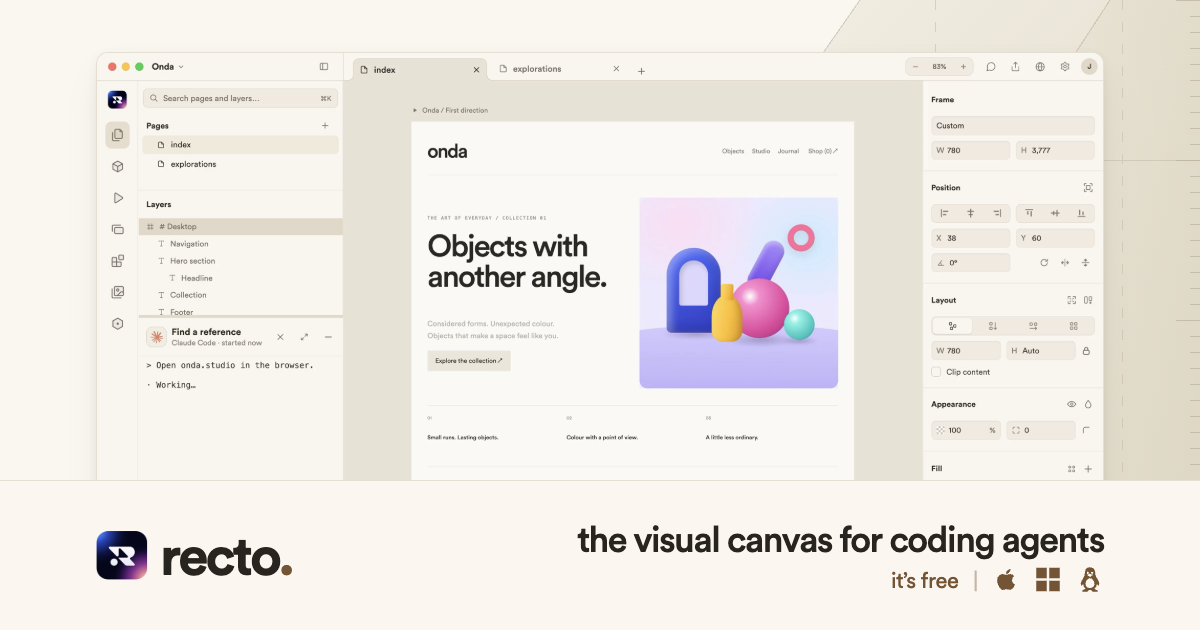
Recto
Recto is a visual canvas designed for coding agents, allowing users to build complex UI, motion, and 3D designs within a single environment. It functions by integrating powerful coding agents—such as Claude Code, Codex, and Cursor—directly into a real-time visual workspace. It is built for developers and designers who rely on AI agents but struggle with the fragmentation of traditional workflows. Recto eliminates the need to switch between terminals, browser previews, screenshots, and prompts, providing a fluid, collaborative design experience. What sets Recto apart is its local, fast operation. It runs directly on your computer, ensuring there are no network round-trips or API configurations required. This local architecture allows agents to work together seamlessly, enabling users to see every change, edit directly on the canvas, or reprompt the system without leaving the tool.
Voir Recto →Comparaison des fonctionnalités
Animated Drawings
- •Transform static sketches into animations
- •Uses AI to generate realistic animations
Recto
- •Builds UI, motion, and 3D designs
- •Visual canvas for coding agents
- •Works with multiple coding AI agents
- •Runs entirely locally for speed
- •Allows direct canvas editing and reprompting
En bref
| Animated Drawings | Recto | |
|---|---|---|
| Catégorie | Design & UI | Design & UI |
| Prix | Freemium | Free |
| Note de la communauté | Aucun avis | Aucun avis |
| Votes positifs sur Stremit | 71 | 0 |
| Site web | sketch.metademolab.com ↗ | recto.design ↗ |
Animated Drawings vs Recto : lequel est le meilleur ?
Choisir entre Animated Drawings et Recto dépend de vos besoins précis. Les deux outils appartiennent à la catégorie Design & UI , ce qui en fait des concurrents directs. Comparez leurs prix, fonctionnalités et avis ci-dessus pour faire le meilleur choix pour votre workflow.
Consultez la page de chaque outil pour des informations plus détaillées, les avis de la communauté et le détail des fonctionnalités.
Questions fréquentes
What is the difference between Animated Drawings and Recto?
Animated Drawings: Transform static sketches into fun animations. This tool is for artists and designers who want to bring their sketches to life. It makes animated drawings different from other animation tools by using AI to generate… Recto: Recto is a visual canvas designed for coding agents, allowing users to build complex UI, motion, and 3D designs within a single environment. It functions by integrating powerful coding agents—such as Claude Code, Codex,…
Is Animated Drawings free?
Animated Drawings is listed as Freemium on Stremit. Check the tool's site for current plans.
Is Recto free?
Recto is listed as Free on Stremit. Check the tool's site for current plans.
Are Animated Drawings and Recto competitors?
Yes — both are Design & UI tools on Stremit, so people often compare them before choosing.