Free AI Room Designer & Interior Design AI Online vs Let's Enhance: AI Image App to Upscale, Sharpen & Improve Quality Online
Une comparaison détaillée pour vous aider à choisir le bon outil IA pour votre workflow.
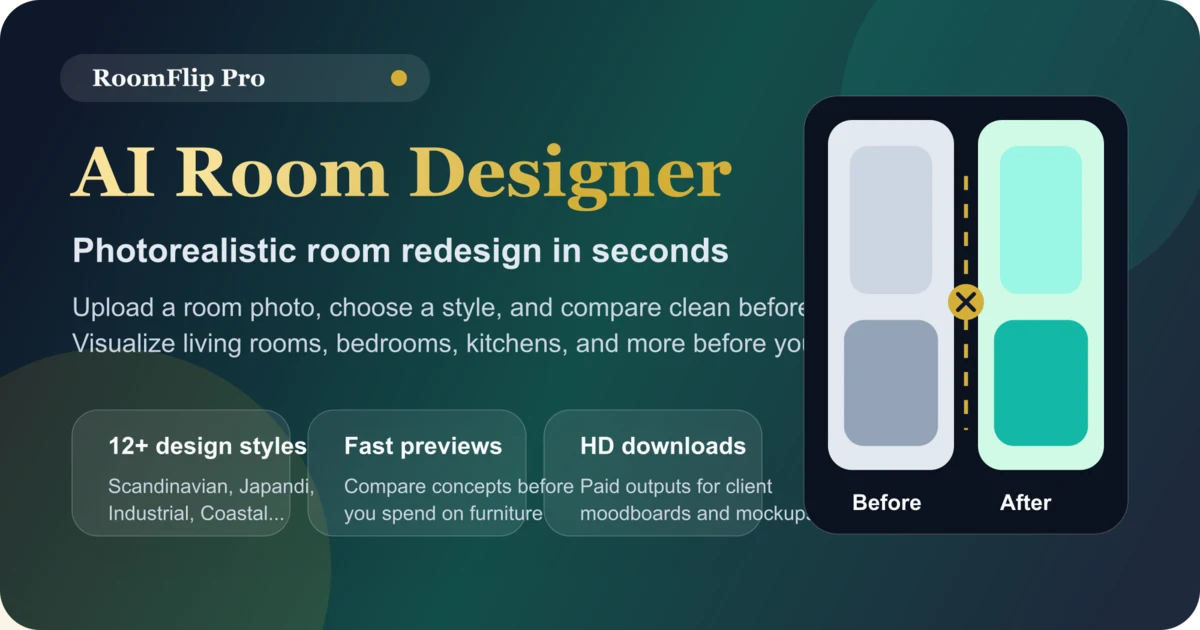
Free AI Room Designer & Interior Design AI Online
RoomFlip is an AI room design and virtual staging tool for real room photos. Users upload up to 6 photos in JPG, PNG, or WebP format, choose what to change, and compare generated design directions. A result can be refined by marking areas that need more work, and the finished room designs can be downloaded. It is built for homeowners and renters who want to test a sofa, rug, or bed before buying, and for furniture shoppers checking a style in the actual room. Airbnb and rental hosts can preview a listing image, and agents or renovation teams can show a direction to sellers, buyers, or clients. New users get 5 free credits after signing in. Each generated design is shown beside the original room, so the layout, furniture, color, and overall feel can be checked against the real space. The original stays part of the workflow. Lighting, scale, and architecture can vary between photos in the same set, so each result is reviewed separately. Paid plans are Pro at USD 9.99 per month and Max at USD 24.99 per month.
Voir Free AI Room Designer & Interior Design AI Online →
Let's Enhance: AI Image App to Upscale, Sharpen & Improve Quality Online
Let's Enhance is an online AI image tool that upscales, sharpens, and improves the quality of photos. It increases resolution up to 16x, with output up to 512 megapixels, so images can be used for print or web. It also restores damaged photos, reduces noise, and corrects exposure and color. It is aimed at photographers, artists, print-on-demand sellers, and teams that need to improve product photos in bulk. Businesses can also access the tools through an API. Its enhancement modes, such as Prime and Gentle, adapt to what each image needs. The site says the results should look professionally shot rather than obviously edited, without plastic skin or halos. Images can be edited further in the Chat Editor or animated with Image to Video.
Voir Let's Enhance: AI Image App to Upscale, Sharpen & Improve Quality Online →Comparaison des fonctionnalités
Free AI Room Designer & Interior Design AI Online
- •Upload up to 6 room photos in one set
- •Redesign rooms, rearrange furniture, or furnish empty rooms
- •Compare generated designs beside the original photo
- •Refine results by marking areas that need more work
- •Download finished room designs
- •5 free credits for new users, plus Pro and Max plans
Let's Enhance: AI Image App to Upscale, Sharpen & Improve Quality Online
- •Upscales images up to 16x, up to 512 megapixels
- •Enhancer with Prime and Gentle modes
- •Old Photo mode for repairing damaged photos
- •Sharpens blur and reduces noise
- •Bulk editing of up to 20 images at once
- •API for business use and Image to Video animation
En bref
| Free AI Room Designer & Interior Design AI Online | Let's Enhance: AI Image App to Upscale, Sharpen & Improve Quality Online | |
|---|---|---|
| Catégorie | Design & UI | Design & UI |
| Prix | Freemium | Freemium |
| Note de la communauté | Aucun avis | Aucun avis |
| Votes positifs sur Stremit | 36 | 69 |
| Site web | roomflip.pro ↗ | letsenhance.io ↗ |
Free AI Room Designer & Interior Design AI Online vs Let's Enhance: AI Image App to Upscale, Sharpen & Improve Quality Online : lequel est le meilleur ?
Choisir entre Free AI Room Designer & Interior Design AI Online et Let's Enhance: AI Image App to Upscale, Sharpen & Improve Quality Online dépend de vos besoins précis. Les deux outils appartiennent à la catégorie Design & UI , ce qui en fait des concurrents directs. Comparez leurs prix, fonctionnalités et avis ci-dessus pour faire le meilleur choix pour votre workflow.
Consultez la page de chaque outil pour des informations plus détaillées, les avis de la communauté et le détail des fonctionnalités.
Questions fréquentes
What is the difference between Free AI Room Designer & Interior Design AI Online and Let's Enhance: AI Image App to Upscale, Sharpen & Improve Quality Online?
Free AI Room Designer & Interior Design AI Online: RoomFlip is an AI room design and virtual staging tool for real room photos. Users upload up to 6 photos in JPG, PNG, or WebP format, choose what to change, and compare generated design directions. A result can be… Let's Enhance: AI Image App to Upscale, Sharpen & Improve Quality Online: Let's Enhance is an online AI image tool that upscales, sharpens, and improves the quality of photos. It increases resolution up to 16x, with output up to 512 megapixels, so images can be used for print or web. It also…
Is Free AI Room Designer & Interior Design AI Online free?
Free AI Room Designer & Interior Design AI Online is listed as Freemium on Stremit. Check the tool's site for current plans.
Is Let's Enhance: AI Image App to Upscale, Sharpen & Improve Quality Online free?
Let's Enhance: AI Image App to Upscale, Sharpen & Improve Quality Online is listed as Freemium on Stremit. Check the tool's site for current plans.
Are Free AI Room Designer & Interior Design AI Online and Let's Enhance: AI Image App to Upscale, Sharpen & Improve Quality Online competitors?
Yes — both are Design & UI tools on Stremit, so people often compare them before choosing.