Seedream 6.0 vs Lumfuse AI Image Combiner
Une comparaison détaillée pour vous aider à choisir le bon outil IA pour votre workflow.

Seedream 6.0
Seedream 6.0 is an AI image generator from Bytedance that creates images from text prompts, from uploaded images, or from a mix of both. Users can upload up to three reference images for a subject, a scene, and an artistic style, and the tool merges them into one artwork. It can also apply the style of one reference image to a new subject. Exports are 4K, and the tool runs in the browser with no download needed. The site describes it for creators, marketers, and teams who need visuals quickly. Listed uses include lifestyle product shots, background removal, restoring old photos, changing clothes on models, editing text in photos, and creating character avatars. What sets it apart, according to the site, is how it reads references: it analyzes composition, lighting, and style from each image. The site says images are ready in under 30 seconds, and it offers free credits to start.
Voir Seedream 6.0 →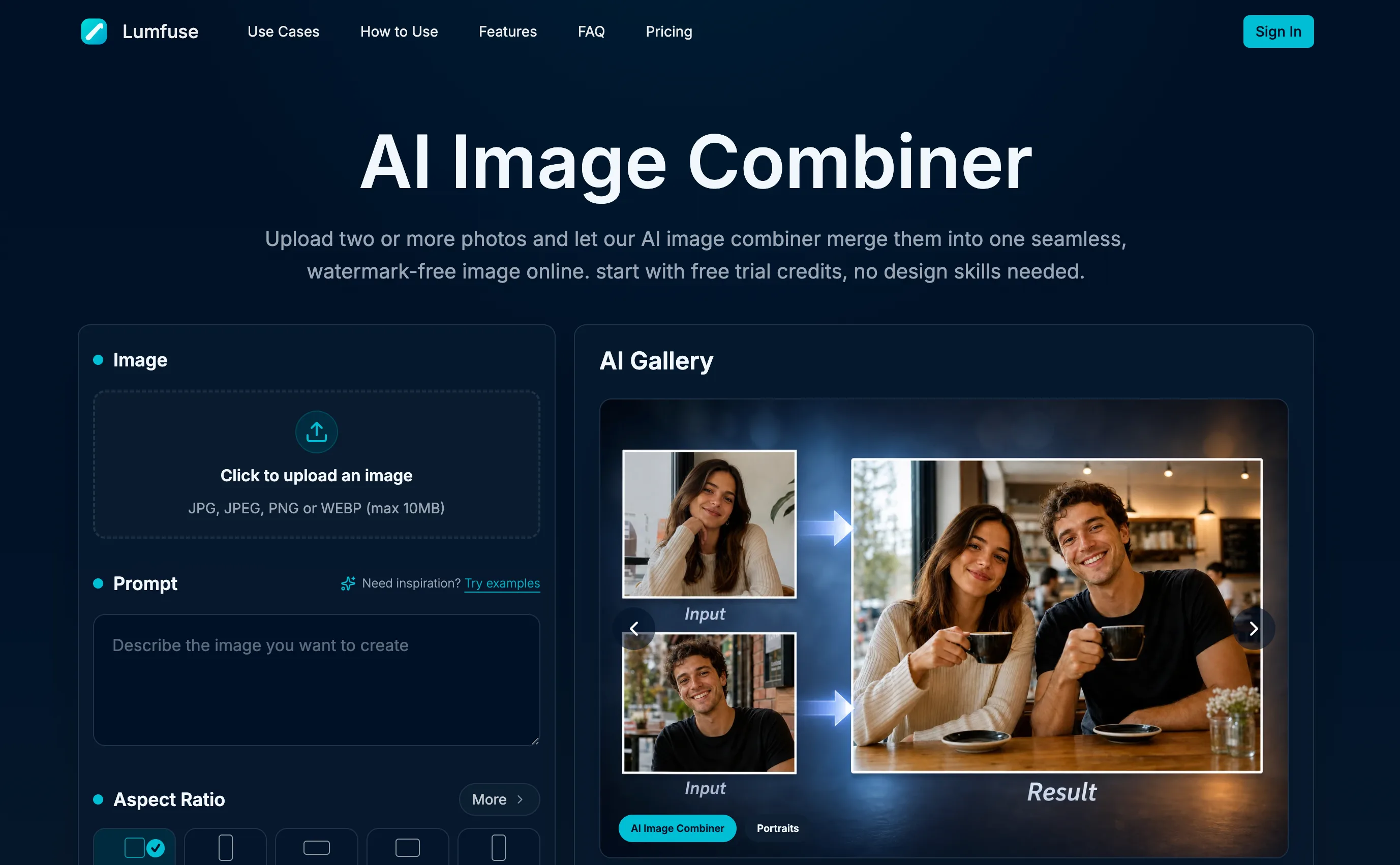
Lumfuse AI Image Combiner
Lumfuse AI Image Combiner merges two or more photos into one image online. You upload the photos, optionally add a prompt that describes the style, scene, or mood, choose an aspect ratio, and generate the result. Each generation uses 6 credits, and signup includes free trial credits. The tool is aimed at people who want to put people who were never together into one photo, combine several pictures into a single composition, or make side-by-side before-and-after layouts. No design skills or software are needed. It accepts JPG, JPEG, PNG, and WEBP files up to 10MB. Instead of stacking photos on top of each other, the tool re-renders the seam so faces, edges, lighting, and shadows blend into one image. Downloads are high-resolution and watermark-free.
Voir Lumfuse AI Image Combiner →Comparaison des fonctionnalités
Seedream 6.0
- •Text-to-image generation from plain-language prompts
- •Combine up to three reference images for subject, scene, and style
- •Style transfer across realistic, anime, and watercolor looks
- •4K image export
- •Background removal and old photo restoration
- •Browser-based, no download needed
Lumfuse AI Image Combiner
Aucune fonctionnalité listée pour l’instant.
En bref
| Seedream 6.0 | Lumfuse AI Image Combiner | |
|---|---|---|
| Catégorie | Image Generation | Image Generation |
| Prix | Freemium | Freemium |
| Note de la communauté | Aucun avis | Aucun avis |
| Votes positifs sur Stremit | 31 | 0 |
| Site web | seedream6.app ↗ | aiimagecombiner.app ↗ |
Seedream 6.0 vs Lumfuse AI Image Combiner : lequel est le meilleur ?
Choisir entre Seedream 6.0 et Lumfuse AI Image Combiner dépend de vos besoins précis. Les deux outils appartiennent à la catégorie Image Generation , ce qui en fait des concurrents directs. Comparez leurs prix, fonctionnalités et avis ci-dessus pour faire le meilleur choix pour votre workflow.
Consultez la page de chaque outil pour des informations plus détaillées, les avis de la communauté et le détail des fonctionnalités.
Questions fréquentes
What is the difference between Seedream 6.0 and Lumfuse AI Image Combiner?
Seedream 6.0: Seedream 6.0 is an AI image generator from Bytedance that creates images from text prompts, from uploaded images, or from a mix of both. Users can upload up to three reference images for a subject, a scene, and an… Lumfuse AI Image Combiner: Lumfuse AI Image Combiner merges two or more photos into one image online. You upload the photos, optionally add a prompt that describes the style, scene, or mood, choose an aspect ratio, and generate the result. Each…
Is Seedream 6.0 free?
Seedream 6.0 is listed as Freemium on Stremit. Check the tool's site for current plans.
Is Lumfuse AI Image Combiner free?
Lumfuse AI Image Combiner is listed as Freemium on Stremit. Check the tool's site for current plans.
Are Seedream 6.0 and Lumfuse AI Image Combiner competitors?
Yes — both are Image Generation tools on Stremit, so people often compare them before choosing.