AI Image Editor — Free AI Image Editor Online vs Pixelshot
ワークフローに最適なAIツールを選ぶための詳しい比較。
AI Image Editor — Free AI Image Editor Online
AI Image Editor is a free online photo editor that lets you change backgrounds, add or edit text, and restyle photos using text prompts. You upload a JPEG, PNG, GIF, or WEBP file up to 20MB and 4096 x 4096 pixels, describe the change, and generate multiple variations to choose from. It is built for people who want quick edits without design software or an account. The site says no sign-up is required and no design skills are needed. It names marketing, branding, and social media content as common uses. The editor can target specific regions, such as eyes, sky, or a logo, and leave the rest of the image untouched. Its character consistency and style transfer tools aim to keep a subject's face and proportions consistent while applying new poses, outfits, backgrounds, or a reference style.
AI Image Editor — Free AI Image Editor Onlineを見る →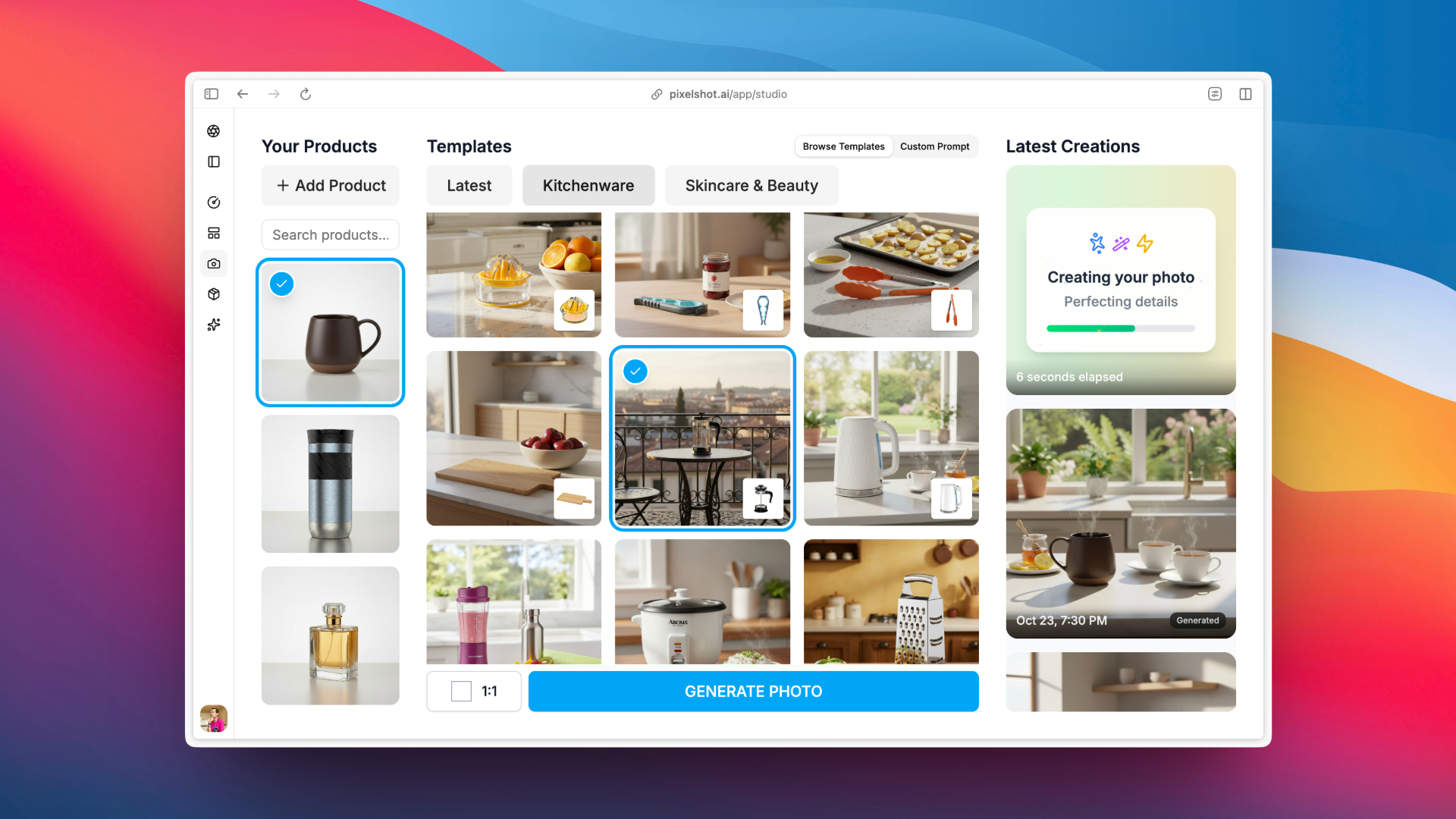
Pixelshot
Pixelshot is an AI product photography tool that converts ordinary product images into professional, studio-quality photos. Users can choose from over 100 curated templates, use custom prompts to define scenes, or edit images using plain language commands to swap backgrounds, relight, or remove imperfections. It is designed for businesses and e-commerce sellers who need high-quality product visuals quickly, regardless of their photography skills. Users can also cleanly remove backgrounds, upscale images up to 2x resolution, and generate photos in various aspect ratios (e.g., 1:1, 16:9) for different marketing channels. The platform supports advanced customization, allowing tailored images beyond fixed templates, and provides credit-based plans to manage multiple products and generation volumes.
Pixelshotを見る →機能の比較
AI Image Editor — Free AI Image Editor Online
- •Change backgrounds using text prompts
- •Insert and edit text in images
- •Style transfer from a reference image
- •Character consistency across edits
- •Region-targeted edits, such as eyes, sky, or logos
- •Multiple output variations to choose from
Pixelshot
- •Browse 100+ professional templates
- •Custom prompt generation
- •Edit images in plain language
- •Remove backgrounds and upscale with AI
- •Choose multiple aspect ratios
ひと目で比較
| AI Image Editor — Free AI Image Editor Online | Pixelshot | |
|---|---|---|
| カテゴリ | Image Generation | Image Generation |
| 料金 | Free | Paid |
| コミュニティの評価 | レビューなし | レビューなし |
| Stremitでの投票数 | 87 | 87 |
| Webサイト | aiimageedit.ai ↗ | pixelshot.ai ↗ |
AI Image Editor — Free AI Image Editor Online vs Pixelshot:どちらが優れている?
AI Image Editor — Free AI Image Editor OnlineとPixelshotのどちらを選ぶかは、あなたのニーズ次第です。 どちらのツールも Image Generation カテゴリに属する直接の競合です。上で料金、機能、ユーザーレビューを比較して、ワークフローに最適なものを選びましょう。
詳しい情報、コミュニティのレビュー、機能の内訳は、各ツールのページをご覧ください。
よくある質問
What is the difference between AI Image Editor — Free AI Image Editor Online and Pixelshot?
AI Image Editor — Free AI Image Editor Online: AI Image Editor is a free online photo editor that lets you change backgrounds, add or edit text, and restyle photos using text prompts. You upload a JPEG, PNG, GIF, or WEBP file up to 20MB and 4096 x 4096 pixels,… Pixelshot: Pixelshot is an AI product photography tool that converts ordinary product images into professional, studio-quality photos. Users can choose from over 100 curated templates, use custom prompts to define scenes, or edit…
Is AI Image Editor — Free AI Image Editor Online free?
AI Image Editor — Free AI Image Editor Online is listed as Free on Stremit. Check the tool's site for current plans.
Is Pixelshot free?
Pixelshot is listed as Paid on Stremit. Check the tool's site for current plans.
Are AI Image Editor — Free AI Image Editor Online and Pixelshot competitors?
Yes — both are Image Generation tools on Stremit, so people often compare them before choosing.