Lunacy vs Architecture AI for Design Visualization
ワークフローに最適なAIツールを選ぶための詳しい比較。

Lunacy
Lunacy is a free, cross-platform graphic design software for Windows, macOS, and Linux. It offers a range of features, including auto layout, real-time collaboration, and AI-powered tools. Suitable for professional designers and teams, Lunacy is designed to save hours of work in the long run. It stands out from other graphic editors with its innovative features, such as auto shape colors and auto updates of generated content. Lunacy also offers a native app for each platform and supports offline mode. The software is available for free, with optional paid upgrades. Lunacy is developed by Icons8 and is available in multiple languages. The tool is designed to be user-friendly and accessible to designers of all levels, from beginners to power users. It also offers a range of tutorials and resources to help users get started. Lunacy is a great option for designers who want to work efficiently and creatively. With its range of features and tools, Lunacy is well-suited for professional designers and teams who need a reliable and user-friendly graphic design software.
Lunacyを見る →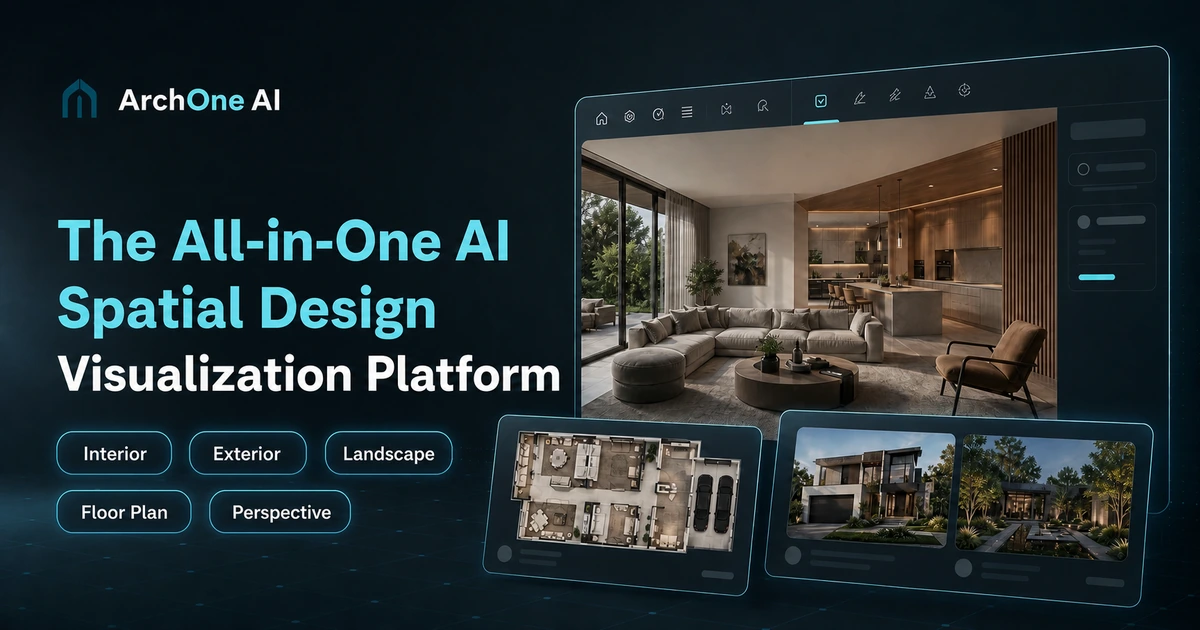
Architecture AI for Design Visualization
ArchOne AI is an all-in-one platform designed for comprehensive architectural design visualization. It allows users to explore, compare, and refine visual concepts for entire projects, spanning interiors, exteriors, landscapes, and floor plans. Users can initiate work using various inputs, including photos, sketches, renders, reference images, or detailed project descriptions. The platform features dedicated AI tools for focused tasks—such as studying exterior facades, planning curb appeal, or generating preliminary 2D/3D floor plans. All generated visual directions are brought together into the Studio, enabling architects and designers to compare and refine multiple concepts on one canvas before making a decision. It serves both professional design teams and individual homeowners, providing a structured yet creative path for visualizing complex spaces. Results support concept exploration and design communication, though they are not measured as technical deliverables like BIM files.
Architecture AI for Design Visualizationを見る →機能の比較
Lunacy
まだ機能は掲載されていません。
Architecture AI for Design Visualization
- •AI Interior/Exterior/Landscape Design Concepts
- •AI Floor Plan Generator (2D/3D concepts)
- •AI Perspective Changer for new viewpoints
- •Comparison and refinement on a single Studio canvas
- •Starts from photos, sketches, or written briefs
ひと目で比較
| Lunacy | Architecture AI for Design Visualization | |
|---|---|---|
| カテゴリ | Design & UI | Design & UI |
| 料金 | Free | Freemium |
| コミュニティの評価 | レビューなし | レビューなし |
| Stremitでの投票数 | 57 | 0 |
| Webサイト | icons8.com ↗ | archoneai.com ↗ |
Lunacy vs Architecture AI for Design Visualization:どちらが優れている?
LunacyとArchitecture AI for Design Visualizationのどちらを選ぶかは、あなたのニーズ次第です。 どちらのツールも Design & UI カテゴリに属する直接の競合です。上で料金、機能、ユーザーレビューを比較して、ワークフローに最適なものを選びましょう。
詳しい情報、コミュニティのレビュー、機能の内訳は、各ツールのページをご覧ください。
よくある質問
What is the difference between Lunacy and Architecture AI for Design Visualization?
Lunacy: Lunacy is a free, cross-platform graphic design software for Windows, macOS, and Linux. It offers a range of features, including auto layout, real-time collaboration, and AI-powered tools. Suitable for professional… Architecture AI for Design Visualization: ArchOne AI is an all-in-one platform designed for comprehensive architectural design visualization. It allows users to explore, compare, and refine visual concepts for entire projects, spanning interiors, exteriors,…
Is Lunacy free?
Lunacy is listed as Free on Stremit. Check the tool's site for current plans.
Is Architecture AI for Design Visualization free?
Architecture AI for Design Visualization is listed as Freemium on Stremit. Check the tool's site for current plans.
Are Lunacy and Architecture AI for Design Visualization competitors?
Yes — both are Design & UI tools on Stremit, so people often compare them before choosing.