Recto vs AI Wireframe Generator & UX/UI Mockup Generator
ワークフローに最適なAIツールを選ぶための詳しい比較。
Recto
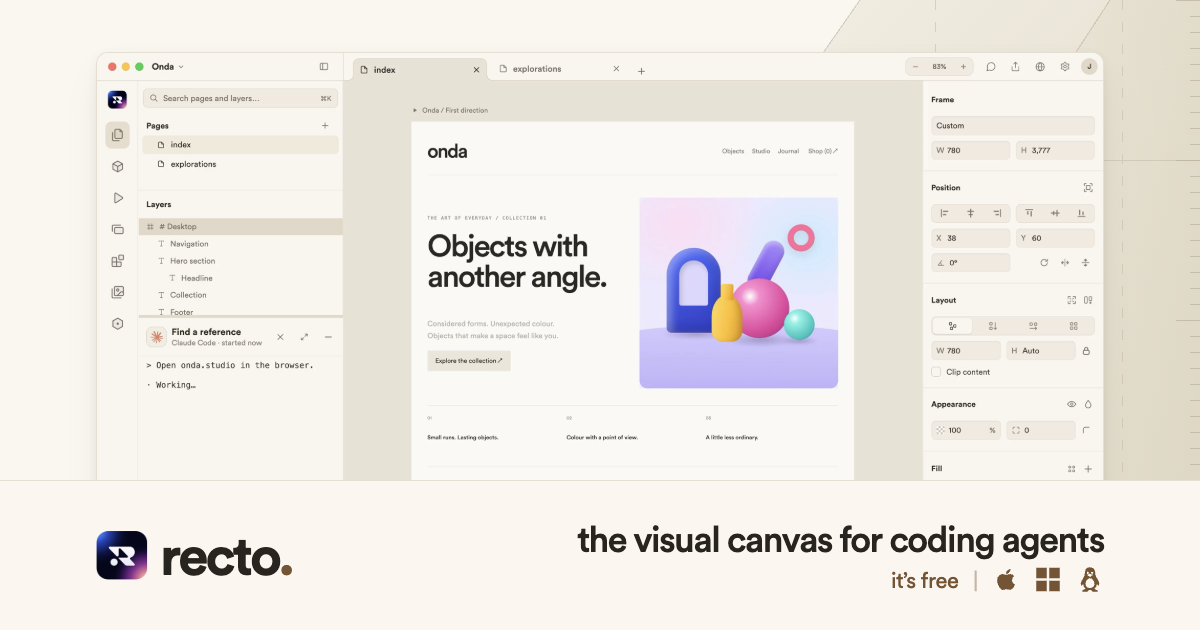
Recto is a visual canvas designed for coding agents, allowing users to build complex UI, motion, and 3D designs within a single environment. It functions by integrating powerful coding agents—such as Claude Code, Codex, and Cursor—directly into a real-time visual workspace. It is built for developers and designers who rely on AI agents but struggle with the fragmentation of traditional workflows. Recto eliminates the need to switch between terminals, browser previews, screenshots, and prompts, providing a fluid, collaborative design experience. What sets Recto apart is its local, fast operation. It runs directly on your computer, ensuring there are no network round-trips or API configurations required. This local architecture allows agents to work together seamlessly, enabling users to see every change, edit directly on the canvas, or reprompt the system without leaving the tool.
Rectoを見る →
AI Wireframe Generator & UX/UI Mockup Generator
UXMagic is an AI UI design tool that generates high-fidelity, Figma-ready wireframes and mockups. Users can convert text prompts, hand-drawn sketches, screenshots, or full website URLs into structured, editable designs in seconds. The platform supports generating multi-screen flows and exporting the final designs into production-ready HTML or React code. It is designed for designers, product managers, and startup teams who need to accelerate the design-to-development workflow without specialized design expertise. The tool streamlines the traditional handoff between design and development by generating clean, usable code alongside the UI. Key differentiators include its deep integration with Figma, offering a dedicated plugin for in-file generation and the ability to maintain brand consistency by importing existing design systems. The platform supports scaling, offering options for teams that require expanded functionality.
AI Wireframe Generator & UX/UI Mockup Generatorを見る →機能の比較
Recto
- •Builds UI, motion, and 3D designs
- •Visual canvas for coding agents
- •Works with multiple coding AI agents
- •Runs entirely locally for speed
- •Allows direct canvas editing and reprompting
AI Wireframe Generator & UX/UI Mockup Generator
- •Generate Figma-ready UIs from text or sketches
- •Clone any website using a URL input
- •Export designs to clean HTML or React code
- •Generate multi-screen UI designs from one prompt
- •Integrates via dedicated Figma plugin
ひと目で比較
| Recto | AI Wireframe Generator & UX/UI Mockup Generator | |
|---|---|---|
| カテゴリ | Design & UI | Design & UI |
| 料金 | Free | Freemium |
| コミュニティの評価 | レビューなし | レビューなし |
| Stremitでの投票数 | 0 | 251 |
| Webサイト | recto.design ↗ | uxmagic.ai ↗ |
Recto vs AI Wireframe Generator & UX/UI Mockup Generator:どちらが優れている?
RectoとAI Wireframe Generator & UX/UI Mockup Generatorのどちらを選ぶかは、あなたのニーズ次第です。 どちらのツールも Design & UI カテゴリに属する直接の競合です。上で料金、機能、ユーザーレビューを比較して、ワークフローに最適なものを選びましょう。
詳しい情報、コミュニティのレビュー、機能の内訳は、各ツールのページをご覧ください。
よくある質問
What is the difference between Recto and AI Wireframe Generator & UX/UI Mockup Generator?
Recto: Recto is a visual canvas designed for coding agents, allowing users to build complex UI, motion, and 3D designs within a single environment. It functions by integrating powerful coding agents—such as Claude Code, Codex,… AI Wireframe Generator & UX/UI Mockup Generator: UXMagic is an AI UI design tool that generates high-fidelity, Figma-ready wireframes and mockups. Users can convert text prompts, hand-drawn sketches, screenshots, or full website URLs into structured, editable designs…
Is Recto free?
Recto is listed as Free on Stremit. Check the tool's site for current plans.
Is AI Wireframe Generator & UX/UI Mockup Generator free?
AI Wireframe Generator & UX/UI Mockup Generator is listed as Freemium on Stremit. Check the tool's site for current plans.
Are Recto and AI Wireframe Generator & UX/UI Mockup Generator competitors?
Yes — both are Design & UI tools on Stremit, so people often compare them before choosing.