Google Whisk vs Recto
Uma comparação detalhada para ajudar você a escolher a ferramenta de IA certa para seu workflow.

Google Whisk
Whisk is an experimental AI tool designed for creative visualization and image remixing. It allows users to generate images and tell stories by utilizing multiple uploaded images as primary prompts, rather than relying solely on text. Users can drag and drop separate images to define the subject, the scene, and the style for their creation. The tool blends the essence of these input images to generate a unique output, making it a powerful visual concept remixer. This system leverages advanced models, including Imagen 3 for image generation and Gemini for writing detailed captions. While the tool is continuously evolving (with capabilities moving to Google Flow), it remains a resource for creators to explore visual ideas.
Ver Google Whisk →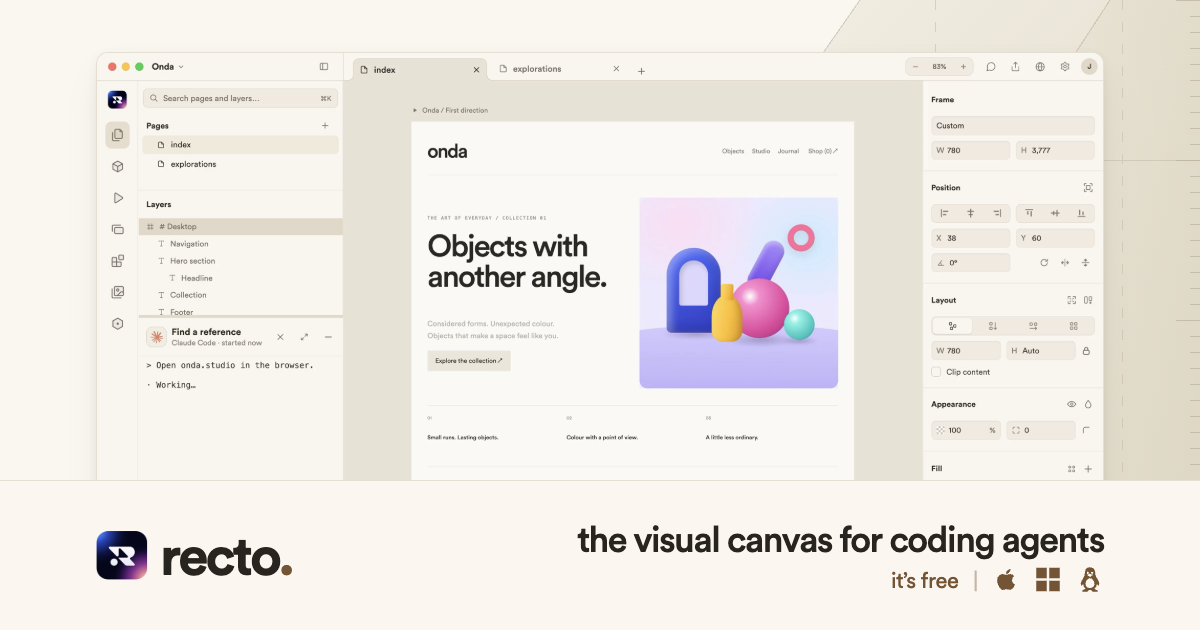
Recto
Recto is a visual canvas designed for coding agents, allowing users to build complex UI, motion, and 3D designs within a single environment. It functions by integrating powerful coding agents—such as Claude Code, Codex, and Cursor—directly into a real-time visual workspace. It is built for developers and designers who rely on AI agents but struggle with the fragmentation of traditional workflows. Recto eliminates the need to switch between terminals, browser previews, screenshots, and prompts, providing a fluid, collaborative design experience. What sets Recto apart is its local, fast operation. It runs directly on your computer, ensuring there are no network round-trips or API configurations required. This local architecture allows agents to work together seamlessly, enabling users to see every change, edit directly on the canvas, or reprompt the system without leaving the tool.
Ver Recto →Comparação de recursos
Google Whisk
- •Uses multiple images as prompts (subject, scene, style)
- •Generates images using Imagen 3 model
- •Uses Gemini to write detailed captions
- •Blends images by essence, not exact copies
- •Drag-and-drop interface for remixing
Recto
- •Builds UI, motion, and 3D designs
- •Visual canvas for coding agents
- •Works with multiple coding AI agents
- •Runs entirely locally for speed
- •Allows direct canvas editing and reprompting
Visão geral
| Google Whisk | Recto | |
|---|---|---|
| Categoria | Design & UI | Design & UI |
| Preços | Freemium | Free |
| Avaliação da Comunidade | Sem avaliações | Sem avaliações |
| Votos na Stremit | 89 | 0 |
| Site | labs.google ↗ | recto.design ↗ |
Google Whisk vs Recto: qual é melhor?
A escolha entre Google Whisk e Recto depende das suas necessidades. As duas ferramentas pertencem à categoria Design & UI e são concorrentes diretas. Compare preços, recursos e avaliações acima para fazer a melhor escolha para seu workflow.
Visite as páginas de cada ferramenta para mais informações, avaliações da comunidade e detalhes dos recursos.
Perguntas frequentes
What is the difference between Google Whisk and Recto?
Google Whisk: Whisk is an experimental AI tool designed for creative visualization and image remixing. It allows users to generate images and tell stories by utilizing multiple uploaded images as primary prompts, rather than relying… Recto: Recto is a visual canvas designed for coding agents, allowing users to build complex UI, motion, and 3D designs within a single environment. It functions by integrating powerful coding agents—such as Claude Code, Codex,…
Is Google Whisk free?
Google Whisk is listed as Freemium on Stremit. Check the tool's site for current plans.
Is Recto free?
Recto is listed as Free on Stremit. Check the tool's site for current plans.
Are Google Whisk and Recto competitors?
Yes — both are Design & UI tools on Stremit, so people often compare them before choosing.