AI Image Editor — Free AI Image Editor Online vs ResLeap
详细对比,帮你为工作流选择合适的 AI 工具。
AI Image Editor — Free AI Image Editor Online
AI Image Editor is a free online photo editor that lets you change backgrounds, add or edit text, and restyle photos using text prompts. You upload a JPEG, PNG, GIF, or WEBP file up to 20MB and 4096 x 4096 pixels, describe the change, and generate multiple variations to choose from. It is built for people who want quick edits without design software or an account. The site says no sign-up is required and no design skills are needed. It names marketing, branding, and social media content as common uses. The editor can target specific regions, such as eyes, sky, or a logo, and leave the rest of the image untouched. Its character consistency and style transfer tools aim to keep a subject's face and proportions consistent while applying new poses, outfits, backgrounds, or a reference style.
查看 AI Image Editor — Free AI Image Editor Online →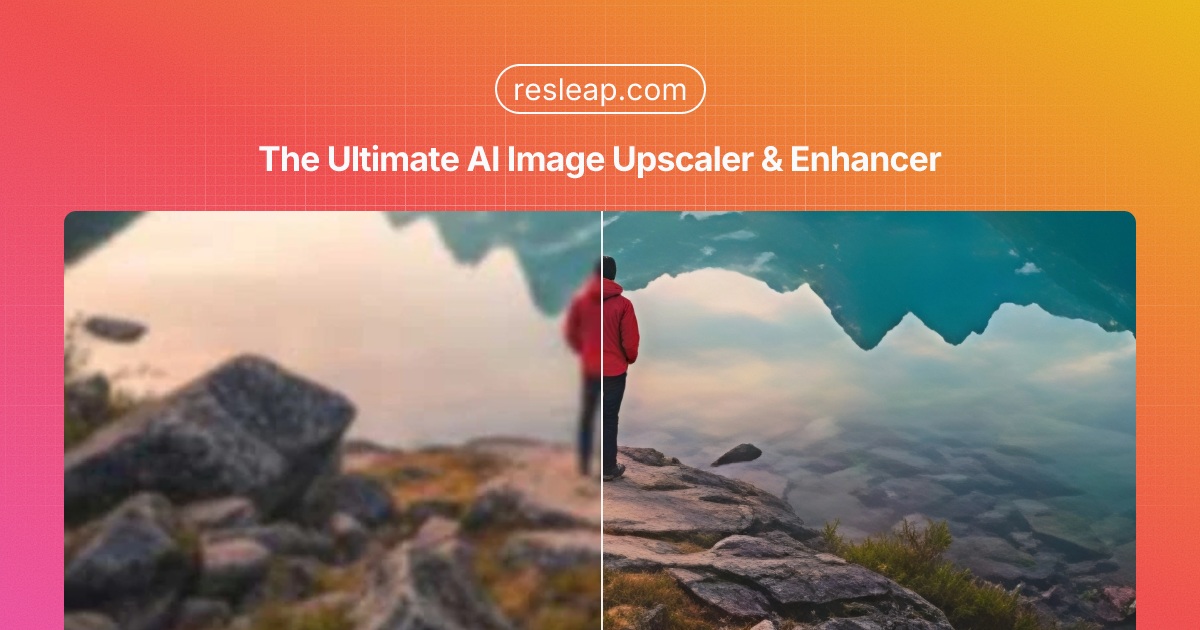
ResLeap
ResLeap is an online AI image enhancer and upscaler. It enhances, unblurs, and upscales low-resolution photos, portraits, anime, and product images. The site lists upscaling up to 8x and output up to 10K, with a maximum of 10240px. Dedicated tools cover photo restoration, portrait enhancement, deity and devotional art, food and product texture, and anime line art. The tool is aimed at people who need sharper images for large prints, e-commerce, social media, or the web. The site cites a 34 inch print size at 300 DPI and mentions posters, frames, and wall art. According to the site, credits are deducted only when an enhancement succeeds. Users can also invite friends and earn 20% of their credits, and there is a Discord community for other users.
查看 ResLeap →功能对比
AI Image Editor — Free AI Image Editor Online
- •Change backgrounds using text prompts
- •Insert and edit text in images
- •Style transfer from a reference image
- •Character consistency across edits
- •Region-targeted edits, such as eyes, sky, or logos
- •Multiple output variations to choose from
ResLeap
- •8x image upscale with stated clarity and detail
- •10K ultra resolution output (10240px max)
- •Detail Revealer for hidden details and texture
- •Portrait enhancement for facial features
- •Photo restoration for faded or old photos
- •Anime upscaling for line art and colors
概览
| AI Image Editor — Free AI Image Editor Online | ResLeap | |
|---|---|---|
| 分类 | Image Generation | Image Generation |
| 价格 | Free | Freemium |
| 社区评分 | 暂无评测 | 暂无评测 |
| Stremit 点赞数 | 87 | 0 |
| 官网 | aiimageedit.ai ↗ | resleap.com ↗ |
AI Image Editor — Free AI Image Editor Online vs ResLeap:哪个更好?
在 AI Image Editor — Free AI Image Editor Online 和 ResLeap 之间如何选择,取决于你的具体需求。 两个工具都属于 Image Generation 分类,是直接竞争对手。对比上方的价格、功能和用户评测,为你的工作流做出最佳选择。
访问各工具页面,查看更详细的信息、社区评测和功能拆解。
常见问题
What is the difference between AI Image Editor — Free AI Image Editor Online and ResLeap?
AI Image Editor — Free AI Image Editor Online: AI Image Editor is a free online photo editor that lets you change backgrounds, add or edit text, and restyle photos using text prompts. You upload a JPEG, PNG, GIF, or WEBP file up to 20MB and 4096 x 4096 pixels,… ResLeap: ResLeap is an online AI image enhancer and upscaler. It enhances, unblurs, and upscales low-resolution photos, portraits, anime, and product images. The site lists upscaling up to 8x and output up to 10K, with a maximum…
Is AI Image Editor — Free AI Image Editor Online free?
AI Image Editor — Free AI Image Editor Online is listed as Free on Stremit. Check the tool's site for current plans.
Is ResLeap free?
ResLeap is listed as Freemium on Stremit. Check the tool's site for current plans.
Are AI Image Editor — Free AI Image Editor Online and ResLeap competitors?
Yes — both are Image Generation tools on Stremit, so people often compare them before choosing.