Code Input vs Cursor: The best way to code with AI
详细对比,帮你为工作流选择合适的 AI 工具。
Code Input
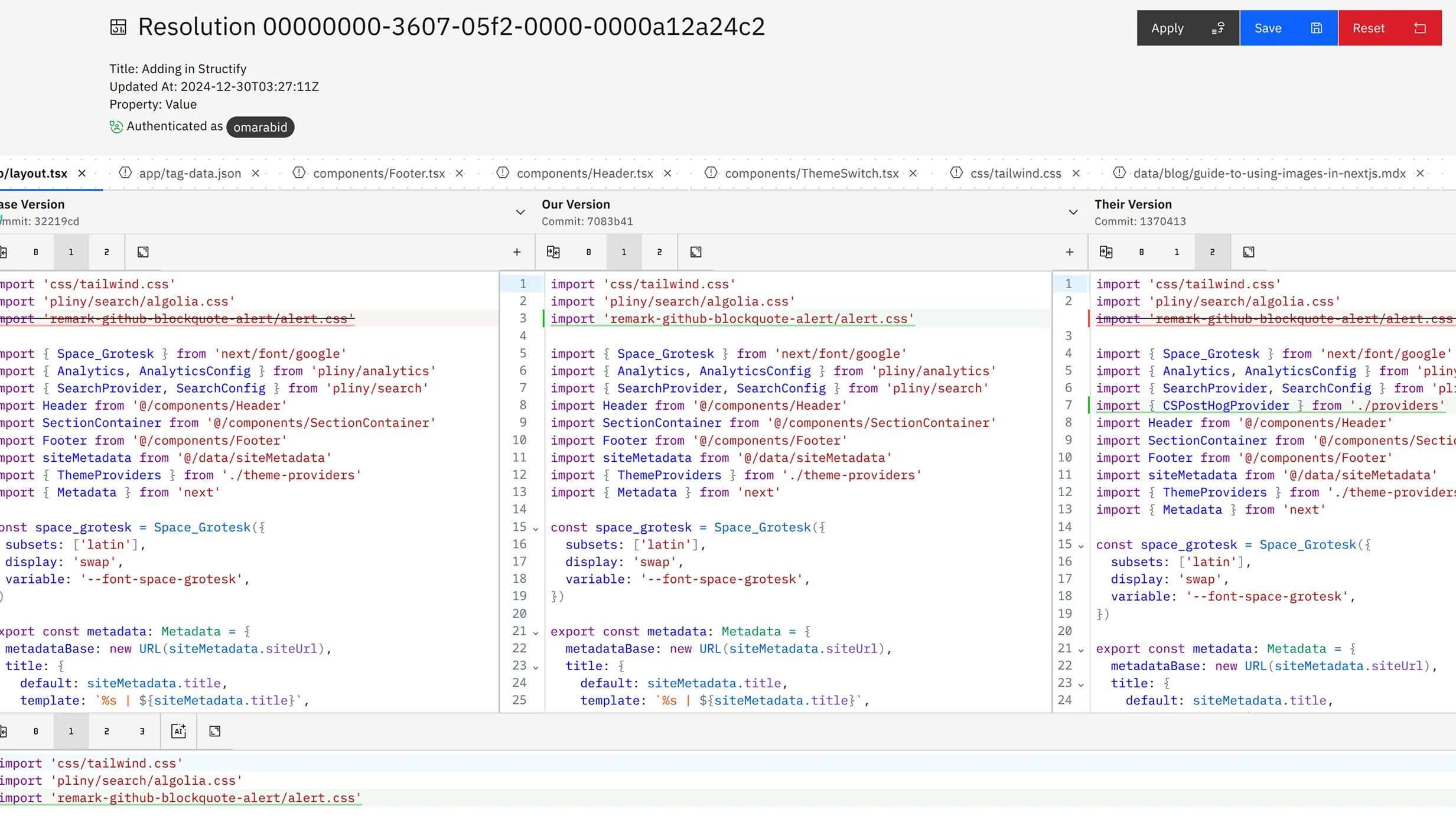
Code Input is a web-based developer productivity suite. It lets teams resolve merge conflicts in the browser using side-by-side comparison and AI-powered suggestions, and merge faster with an intelligent queue. It also manages CODEOWNERS files, automates repository tasks, and shows live engineering metrics. The platform is built for development teams that work in GitHub repositories. Users log in with GitHub and need no installation. Teams can use multiple CODEOWNERS files and define ownership within the files themselves. Code Input runs entirely in the browser and states that it never stores source code, with code processing happening in GitHub Actions runners. Its CODEOWNERS support goes beyond the standard format, adding advanced tag support and ownership querying.
查看 Code Input →
Cursor: The best way to code with AI
Cursor is an advanced AI coding agent designed to assist developers in building ambitious software. It moves beyond simple autocomplete, acting as a comprehensive agent that turns conceptual ideas into functional code by handing off complex tasks. The platform excels at accelerating development by allowing agents to work autonomously. Users can leverage these agents to build, test, and demo features end-to-end, streamlining workflows from initial concept to final, reviewable product. It integrates deep into various development environments, including IDEs, the CLI, and team collaboration tools like Slack and GitHub. It is ideal for teams and individual researchers who build world-class software and require significant development velocity. By delegating complex coding and research tasks, developers can focus their efforts on high-level architectural decisions and innovation.
查看 Cursor: The best way to code with AI →功能对比
Code Input
- •Merge conflict resolution in the browser with side-by-side comparison
- •AI-powered conflict suggestions
- •Intelligent merge queue
- •Advanced CODEOWNERS management with tag support and ownership querying
- •GitHub integration with no installation required
- •Live engineering metrics and repository task automation
Cursor: The best way to code with AI
- •AI Coding Agent with autonomous task completion
- •Multi-agent collaboration and parallel processing
- •Context-aware completions and intelligent code navigation
- •IDE assistance and CLI integration
- •Multiplayer mode for shared development
概览
| Code Input | Cursor: The best way to code with AI | |
|---|---|---|
| 分类 | Code & Development | Code & Development |
| 价格 | Free Trial | Paid |
| 社区评分 | 暂无评测 | 暂无评测 |
| Stremit 点赞数 | 87 | 68 |
| 官网 | codeinput.com ↗ | cursor.com ↗ |
Code Input vs Cursor: The best way to code with AI:哪个更好?
在 Code Input 和 Cursor: The best way to code with AI 之间如何选择,取决于你的具体需求。 两个工具都属于 Code & Development 分类,是直接竞争对手。对比上方的价格、功能和用户评测,为你的工作流做出最佳选择。
访问各工具页面,查看更详细的信息、社区评测和功能拆解。
常见问题
What is the difference between Code Input and Cursor: The best way to code with AI?
Code Input: Code Input is a web-based developer productivity suite. It lets teams resolve merge conflicts in the browser using side-by-side comparison and AI-powered suggestions, and merge faster with an intelligent queue. It also… Cursor: The best way to code with AI: Cursor is an advanced AI coding agent designed to assist developers in building ambitious software. It moves beyond simple autocomplete, acting as a comprehensive agent that turns conceptual ideas into functional code…
Is Code Input free?
Code Input is listed as Free Trial on Stremit. Check the tool's site for current plans.
Is Cursor: The best way to code with AI free?
Cursor: The best way to code with AI is listed as Paid on Stremit. Check the tool's site for current plans.
Are Code Input and Cursor: The best way to code with AI competitors?
Yes — both are Code & Development tools on Stremit, so people often compare them before choosing.