MakePixel vs SpriteFlow
详细对比,帮你为工作流选择合适的 AI 工具。
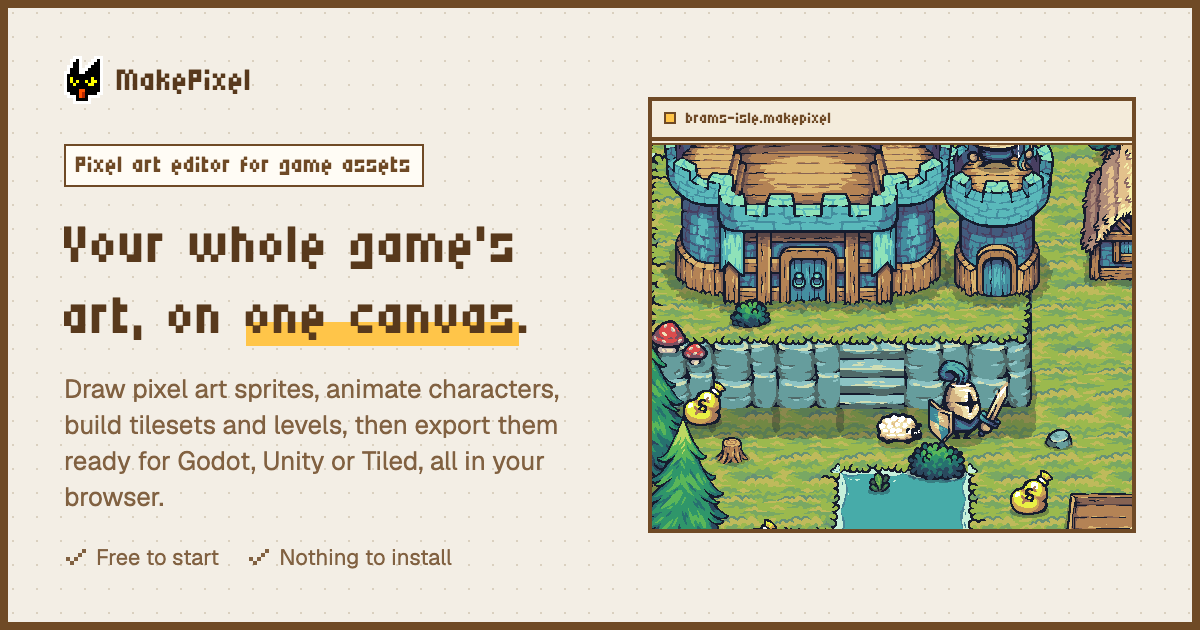
MakePixel
MakePixel is a pixel art editor for game assets that runs in the browser. You draw sprites, animate characters, and build tilesets and levels on one canvas, then export them ready for Godot, Unity, Tiled, or Aseprite. It can also generate pixel art from a text description at 1 credit per picture, and it includes an MCP server that lets coding agents read the canvas and pull sprites into a repository. It is aimed at people making game art who want a whole game's assets in one place. Sections, notes, and an outline keep sprites, animations, and tilesets organised, and a linked asset updates in every project when the original is edited. What sets it apart is autotiling: paint 13 tiles and MakePixel works out the full set of 47. Exports are written in the formats engines read directly, with the filter, pivot, and animation names already set. It is free to start, needs nothing installed, and works on desktop, tablet, and phone.
查看 MakePixel →
SpriteFlow
SpriteFlow is an AI sprite generator that creates production-ready game assets, including character animations, sprite sheets, and JSON atlases. It generates full animation cycles—such as walking, idle, and attack—by simply describing the character or uploading an image. The tool also supports creating unique assets like NPC variations, props, and 8-directional sprites for isometric views. It is designed for game developers, particularly solo indie developers, who need to create assets quickly without manual pixel-by-pixel drawing skills. Unlike traditional methods that require dozens of hours for consistency, SpriteFlow generates complete character sheets in minutes. Its core advantage is guaranteeing perfect style consistency across every single frame, maintaining identical colors and proportions. The system allows users to upload a character or describe them, select an animation type, and generate the necessary frames. Assets can then be exported with one click to major game engines like Unity, Godot, or Unreal, complete with metadata and animation controller presets.
查看 SpriteFlow →功能对比
MakePixel
暂未列出功能。
SpriteFlow
- •Guaranteed style consistency across all frames
- •Automatic sprite sheet grid packing and JSON metadata
- •Supports 8-directional sprites (isometric/top-down)
- •Generates complete animation sets (walk, idle, attack, etc.)
- •One-click export to Unity, Godot, and Unreal
概览
| MakePixel | SpriteFlow | |
|---|---|---|
| 分类 | Design & UI | Design & UI |
| 价格 | Freemium | Freemium |
| 社区评分 | 暂无评测 | 暂无评测 |
| Stremit 点赞数 | 0 | 71 |
| 官网 | makepixel.ai ↗ | spriteflow.io ↗ |
MakePixel vs SpriteFlow:哪个更好?
在 MakePixel 和 SpriteFlow 之间如何选择,取决于你的具体需求。 两个工具都属于 Design & UI 分类,是直接竞争对手。对比上方的价格、功能和用户评测,为你的工作流做出最佳选择。
访问各工具页面,查看更详细的信息、社区评测和功能拆解。
常见问题
What is the difference between MakePixel and SpriteFlow?
MakePixel: MakePixel is a pixel art editor for game assets that runs in the browser. You draw sprites, animate characters, and build tilesets and levels on one canvas, then export them ready for Godot, Unity, Tiled, or Aseprite.… SpriteFlow: SpriteFlow is an AI sprite generator that creates production-ready game assets, including character animations, sprite sheets, and JSON atlases. It generates full animation cycles—such as walking, idle, and attack—by…
Is MakePixel free?
MakePixel is listed as Freemium on Stremit. Check the tool's site for current plans.
Is SpriteFlow free?
SpriteFlow is listed as Freemium on Stremit. Check the tool's site for current plans.
Are MakePixel and SpriteFlow competitors?
Yes — both are Design & UI tools on Stremit, so people often compare them before choosing.