Cedric AI vs Opal
A detailed comparison to help you choose the right AI tool for your workflow.
Cedric AI
Cedric AI is an AI employee that connects to your team's tools, remembers company and workflow context, and does real work for the whole team. In meetings, it can present a deck, answer questions, attend the call, take the meeting notes, and get the follow-ups done. It works where your team already talks, picks up work once it is decided, and asks before anything sends. It is built for teams that want help with recurring work across their tools. Examples on the site include booking calls, sending weekly reports, chasing past-due invoices, charting pipeline by stage, and drafting client updates. The site also lists use cases for founders, agencies, online shops, consultancies, accountants, law firms, and real estate. What sets it apart is shared memory: teach Cedric once and it knows for everyone, while direct messages and personal context stay private. Your data is never used to train models. Cedric is built in Zurich, is GDPR compliant, and can also run as an MCP server for coding agents. Setup means adding it to Slack, with no servers or IT project. New sign-ups receive 100K credits ($50) with no card needed.
View Cedric AI →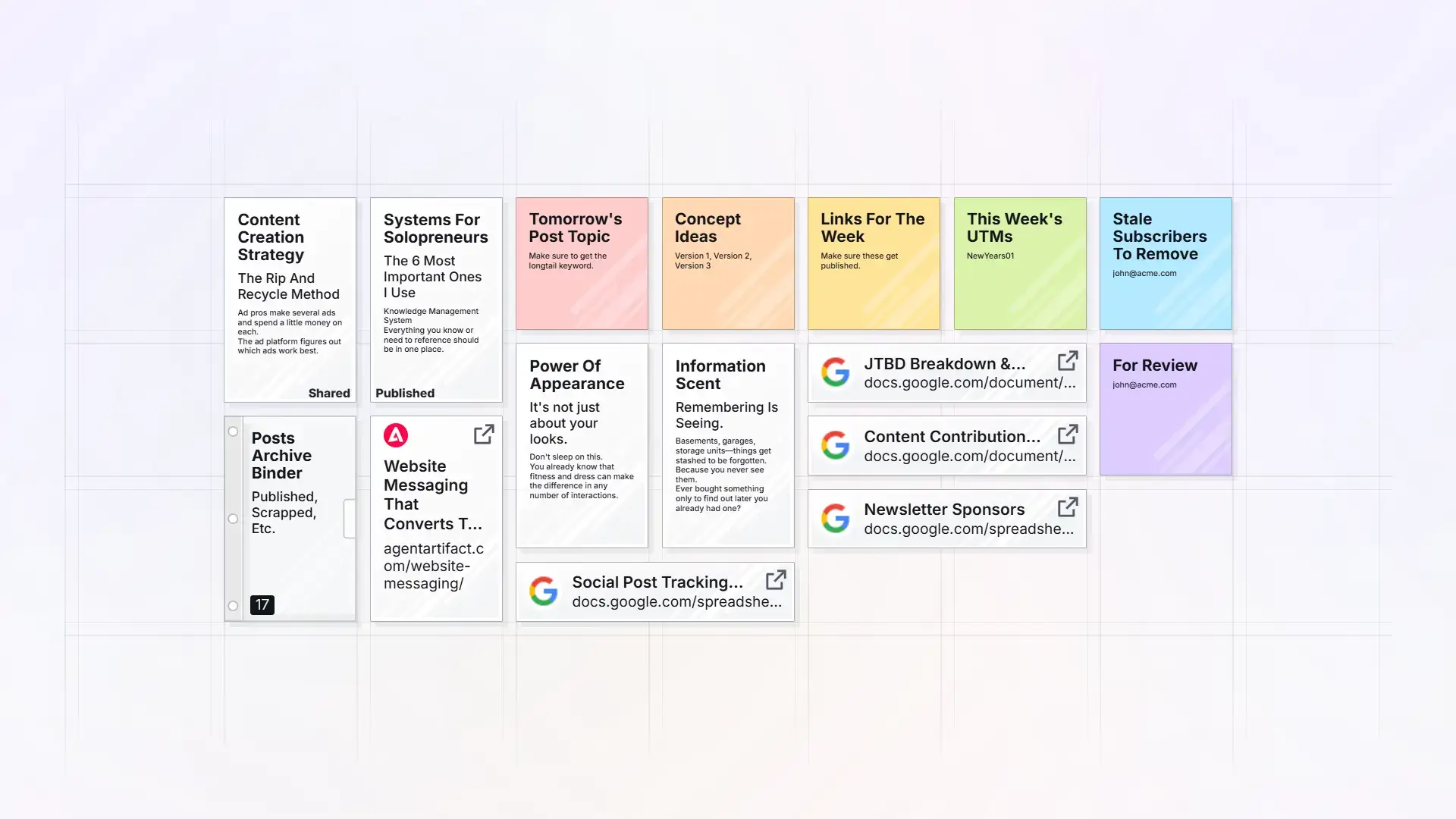
Opal
Opal Recall is a spatial note taking app. Users create or drag notes, docs, links, binders, files, and Google Docs and Sheets onto large, pannable digital desks. Items are placed on a visual grid, so users can find them by where they were put rather than by typing into a search box. It is built for freelancers, solopreneurs, and small teams who want to see all of a project's material at once. The site describes its setup as simple, with no onboarding wizard and no folder to choose when adding an item. The main difference from folder- and page-based tools is that the desk is the organizing structure. Users can open several items side by side in one tab, and each workspace gets its own URL. Access is currently by invitation in batches, and users register to reserve a spot.
View Opal →Feature Comparison
Cedric AI
No features listed yet.
Opal
- •Large, pannable digital desk for placing items on a grid
- •Drag-and-drop notes, docs, links, binders, and files
- •Google Docs and Google Sheets support
- •Open multiple items side by side in one tab
- •Find items by location without typing a search
- •Unique workspace URL for each user
At a glance
| Cedric AI | Opal | |
|---|---|---|
| Category | Productivity | Productivity |
| Pricing | Freemium | — |
| Community Rating | No reviews | No reviews |
| Upvotes on Stremit | 0 | 47 |
| Website | meet-cedric.com ↗ | opalrecall.com ↗ |
Cedric AI vs Opal: Which is Better?
Choosing between Cedric AI and Opal depends on your specific needs. Both tools belong to the Productivity category, making them direct competitors. Compare their pricing, features, and user reviews above to make the best choice for your workflow.
Visit the individual tool pages for more detailed information, community reviews, and feature breakdowns.
Frequently asked questions
What is the difference between Cedric AI and Opal?
Cedric AI: Cedric AI is an AI employee that connects to your team's tools, remembers company and workflow context, and does real work for the whole team. In meetings, it can present a deck, answer questions, attend the call, take… Opal: Opal Recall is a spatial note taking app. Users create or drag notes, docs, links, binders, files, and Google Docs and Sheets onto large, pannable digital desks. Items are placed on a visual grid, so users can find them…
Is Cedric AI free?
Cedric AI is listed as Freemium on Stremit. Check the tool's site for current plans.
Are Cedric AI and Opal competitors?
Yes — both are Productivity tools on Stremit, so people often compare them before choosing.