Anomaly AI vs. Opal
Ein ausführlicher Vergleich, der dir hilft, das richtige KI-Tool für deinen Workflow zu wählen.

Anomaly AI
AI data analysis workspace for large spreadsheets and business datasets. Create traceable dashboards, reports, slides, PDFs, and scheduled reporting workflows from Excel, CSV, Google Sheets, GA4, BigQuery, Snowflake, or MySQL.
Anomaly AI ansehen →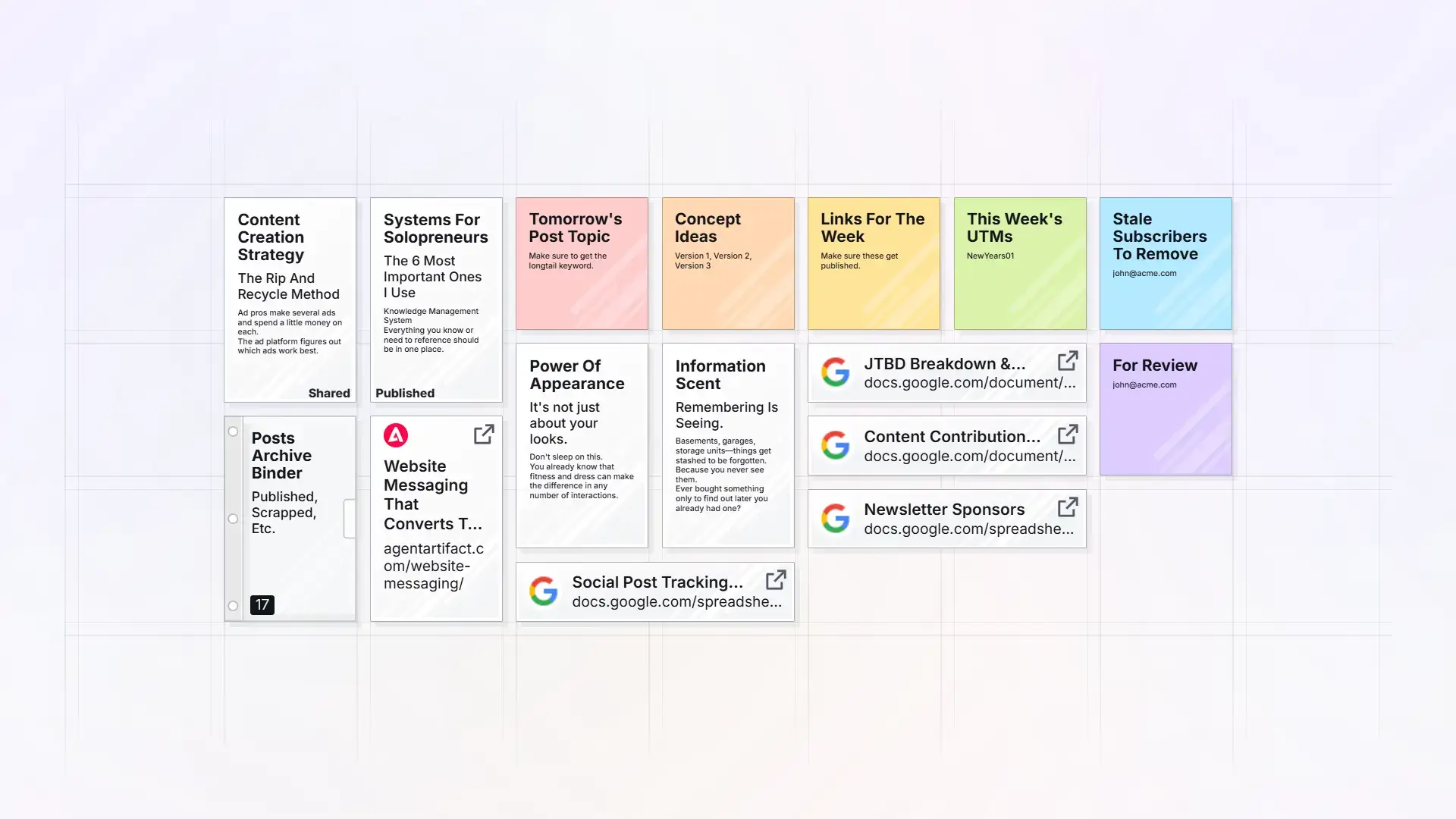
Opal
Opal Recall is a spatial note taking app. Users create or drag notes, docs, links, binders, files, and Google Docs and Sheets onto large, pannable digital desks. Items are placed on a visual grid, so users can find them by where they were put rather than by typing into a search box. It is built for freelancers, solopreneurs, and small teams who want to see all of a project's material at once. The site describes its setup as simple, with no onboarding wizard and no folder to choose when adding an item. The main difference from folder- and page-based tools is that the desk is the organizing structure. Users can open several items side by side in one tab, and each workspace gets its own URL. Access is currently by invitation in batches, and users register to reserve a spot.
Opal ansehen →Funktionsvergleich
Anomaly AI
Noch keine Funktionen gelistet.
Opal
- •Large, pannable digital desk for placing items on a grid
- •Drag-and-drop notes, docs, links, binders, and files
- •Google Docs and Google Sheets support
- •Open multiple items side by side in one tab
- •Find items by location without typing a search
- •Unique workspace URL for each user
Auf einen Blick
| Anomaly AI | Opal | |
|---|---|---|
| Kategorie | Productivity | Productivity |
| Preise | Freemium | — |
| Community-Bewertung | Keine Bewertungen | Keine Bewertungen |
| Upvotes auf Stremit | 53 | 47 |
| Website | findanomaly.ai ↗ | opalrecall.com ↗ |
Anomaly AI vs. Opal: Was ist besser?
Ob Anomaly AI oder Opal besser passt, hängt von deinen konkreten Anforderungen ab. Beide Tools gehören zur Kategorie Productivity und sind damit direkte Konkurrenten. Vergleiche oben Preise, Funktionen und Nutzerbewertungen, um die beste Wahl für deinen Workflow zu treffen.
Auf den einzelnen Tool-Seiten findest du ausführlichere Infos, Community-Bewertungen und Funktionsübersichten.
Häufige Fragen
What is the difference between Anomaly AI and Opal?
Anomaly AI: AI data analysis workspace for large spreadsheets and business datasets. Create traceable dashboards, reports, slides, PDFs, and scheduled reporting workflows from Excel, CSV, Google Sheets, GA4, BigQuery, Snowflake, or… Opal: Opal Recall is a spatial note taking app. Users create or drag notes, docs, links, binders, files, and Google Docs and Sheets onto large, pannable digital desks. Items are placed on a visual grid, so users can find them…
Is Anomaly AI free?
Anomaly AI is listed as Freemium on Stremit. Check the tool's site for current plans.
Are Anomaly AI and Opal competitors?
Yes — both are Productivity tools on Stremit, so people often compare them before choosing.