Descript: Edit Videos & Podcasts Like a Doc vs Eddie
Une comparaison détaillée pour vous aider à choisir le bon outil IA pour votre workflow.
Descript: Edit Videos & Podcasts Like a Doc
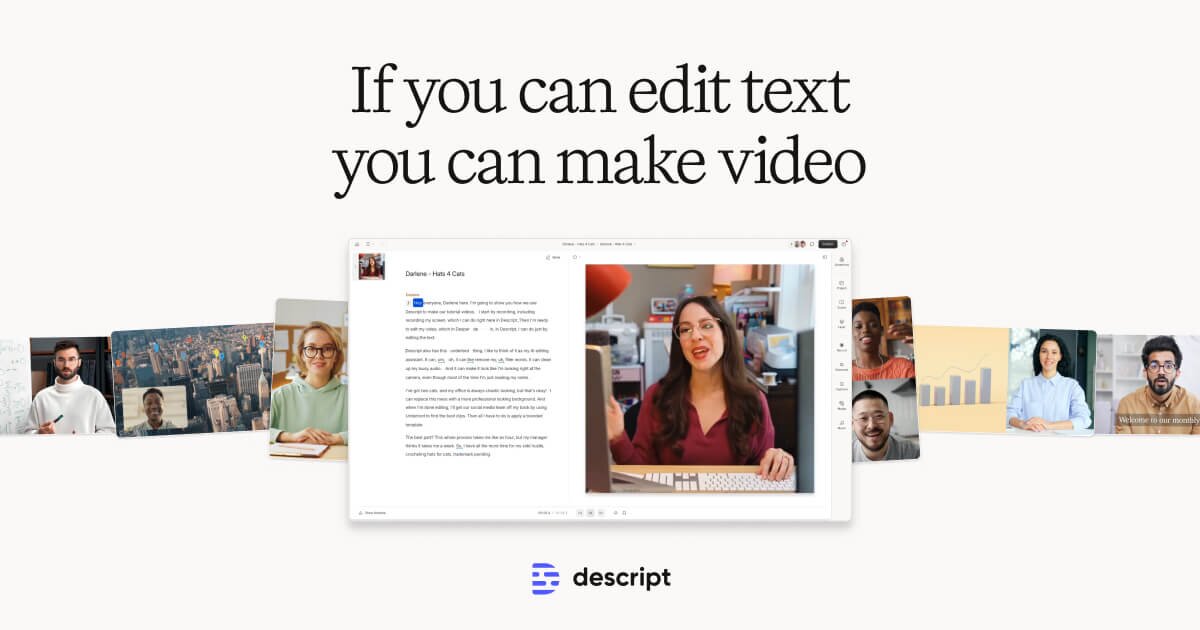
Descript is an AI-powered text-based editor designed for video and podcast creation. Users can record and transcribe footage, then edit video simply by making changes to the transcript, making the process as easy as editing text. The tool provides a full workflow from recording and transcribing to editing, cleaning up audio, and exporting. It is suitable for content creators, podcasters, and enterprise teams who need an all-in-one solution. Features include removing filler words and retakes, audio cleanup (like background noise removal), and advanced AI editing via Underlord. Key differentiators include the seamless, multi-stage workflow (Record, Edit, Refine, Share, Multiply) and the ability to reformat video for multiple platforms, including translation to dozens of languages.
Voir Descript: Edit Videos & Podcasts Like a Doc →
Eddie
Eddie is an AI video editor that allows users to import interviews and create rough cuts in seconds. It connects to ChatGPT or Claude over MCP to facilitate the editing process. Users can export their edited videos to MP4, Adobe, FCP, DaVinci Resolve, and Avid. Eddie is suitable for video professionals, podcasters, documentarians, and anyone who needs to edit interviews. Its key features include rough cuts, multicam, A-roll logging, B-roll logging, speaker identification, scripted edits, and social clips. What makes Eddie different is its ability to work seamlessly with various video editing software, including Premiere Pro, DaVinci Resolve, Final Cut Pro, and Avid. It also provides enterprise-grade security and brand controls for businesses.
Voir Eddie →Comparaison des fonctionnalités
Descript: Edit Videos & Podcasts Like a Doc
- •Text-based video editing
- •Transcription and removal of filler words
- •Audio cleanup (noise removal, voice enhancement)
- •AI video agent (Underlord)
- •Multi-platform exporting (TikTok, LinkedIn, YouTube)
- •Video generation and clip creation
Eddie
Aucune fonctionnalité listée pour l’instant.
En bref
| Descript: Edit Videos & Podcasts Like a Doc | Eddie | |
|---|---|---|
| Catégorie | Video Generation | Video Generation |
| Prix | Freemium | Freemium |
| Note de la communauté | Aucun avis | Aucun avis |
| Votes positifs sur Stremit | 42 | 63 |
| Site web | descript.com ↗ | heyeddie.ai ↗ |
Descript: Edit Videos & Podcasts Like a Doc vs Eddie : lequel est le meilleur ?
Choisir entre Descript: Edit Videos & Podcasts Like a Doc et Eddie dépend de vos besoins précis. Les deux outils appartiennent à la catégorie Video Generation , ce qui en fait des concurrents directs. Comparez leurs prix, fonctionnalités et avis ci-dessus pour faire le meilleur choix pour votre workflow.
Consultez la page de chaque outil pour des informations plus détaillées, les avis de la communauté et le détail des fonctionnalités.
Questions fréquentes
What is the difference between Descript: Edit Videos & Podcasts Like a Doc and Eddie?
Descript: Edit Videos & Podcasts Like a Doc: Descript is an AI-powered text-based editor designed for video and podcast creation. Users can record and transcribe footage, then edit video simply by making changes to the transcript, making the process as easy as… Eddie: Eddie is an AI video editor that allows users to import interviews and create rough cuts in seconds. It connects to ChatGPT or Claude over MCP to facilitate the editing process. Users can export their edited videos to…
Is Descript: Edit Videos & Podcasts Like a Doc free?
Descript: Edit Videos & Podcasts Like a Doc is listed as Freemium on Stremit. Check the tool's site for current plans.
Is Eddie free?
Eddie is listed as Freemium on Stremit. Check the tool's site for current plans.
Are Descript: Edit Videos & Podcasts Like a Doc and Eddie competitors?
Yes — both are Video Generation tools on Stremit, so people often compare them before choosing.