Koru vs MixMemo
Une comparaison détaillée pour vous aider à choisir le bon outil IA pour votre workflow.
Koru
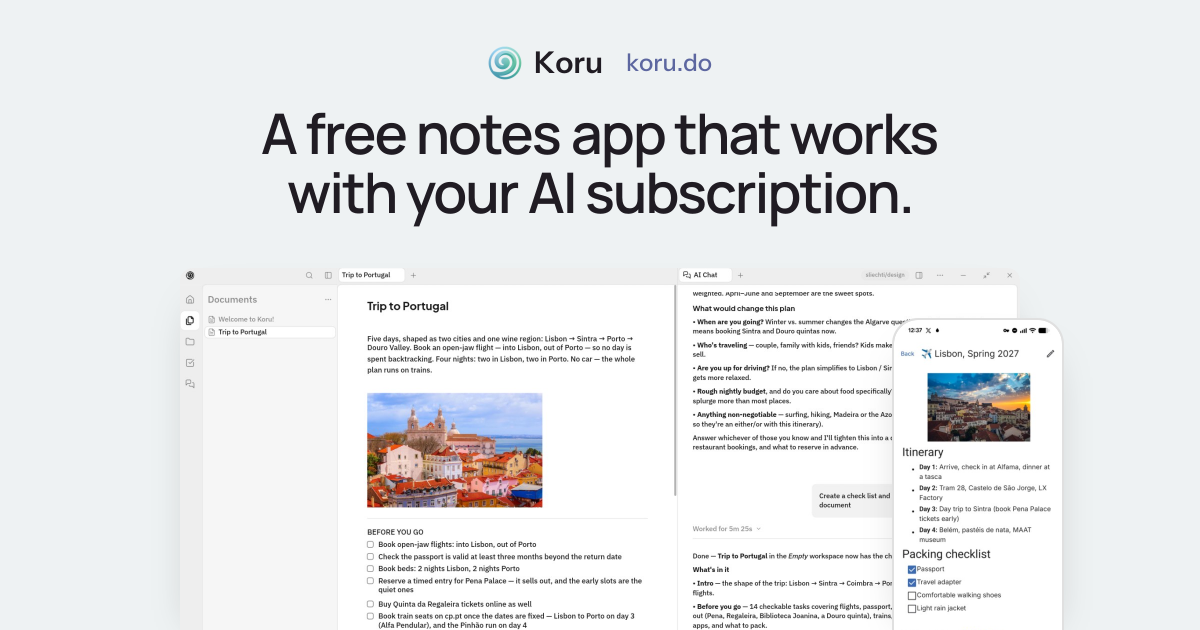
Koru is a free, open source app for notes, documents, files and tasks. It works offline on Windows, macOS and Linux. You can run AI agents such as Claude, Codex and Gemini as tabs beside your documents, and let them read and edit your workspace through a local MCP server. Koru is for people who want one private workspace for capturing ideas and planning work across their devices. Koru Voice runs speech recognition on your device, so your audio is not sent to the cloud. You can import content from Evernote, Notion, Google Docs, OneNote and Markdown. What sets Koru apart is that it does not lock you into one AI. Devices sync directly with each other, end-to-end encrypted, without needing Koru Cloud, which is an optional always-online copy of your workspaces. Koru's code is public on GitHub, so you can read it, build it yourself and open issues or pull requests.
Voir Koru →
MixMemo
MixMemo is an infinite canvas for online sticky notes. Users click anywhere to create a note, add rich text, files, and images, and drag notes into clusters, timelines, study maps, or project boards. Notes can be exported as PNG or PDF, shared through read-only public links, and backed up with export/import. Optional AI helpers can summarize, rewrite, translate, extract action items, and turn notes into mind maps, flowcharts, timelines, or Gantt charts. It is built for students planning study material and exam prep, and for professionals who plan projects, organize research, or map workflows. Basic note taking requires no login. MixMemo stores basic notes in the browser using IndexedDB. Content is sent to the cloud only when the user chooses an action such as AI processing, public sharing, or generated asset storage. A Chrome extension brings the same sticky note experience to web browsing.
Voir MixMemo →Comparaison des fonctionnalités
Koru
Aucune fonctionnalité listée pour l’instant.
MixMemo
- •Infinite canvas with drag-to-cluster sticky notes
- •Rich text notes with images, files, and tables
- •Optional AI summaries, rewrites, and translation
- •Diagrams including mind maps, flowcharts, and Gantt charts
- •Local-first storage in browser IndexedDB
- •PNG and PDF export, read-only share links, and export/import backups
En bref
| Koru | MixMemo | |
|---|---|---|
| Catégorie | Productivity | Productivity |
| Prix | Free | Free |
| Note de la communauté | Aucun avis | Aucun avis |
| Votes positifs sur Stremit | 0 | 47 |
| Site web | koru.do ↗ | mixmemo.ai ↗ |
Koru vs MixMemo : lequel est le meilleur ?
Choisir entre Koru et MixMemo dépend de vos besoins précis. Les deux outils appartiennent à la catégorie Productivity , ce qui en fait des concurrents directs. Comparez leurs prix, fonctionnalités et avis ci-dessus pour faire le meilleur choix pour votre workflow.
Consultez la page de chaque outil pour des informations plus détaillées, les avis de la communauté et le détail des fonctionnalités.
Questions fréquentes
What is the difference between Koru and MixMemo?
Koru: Koru is a free, open source app for notes, documents, files and tasks. It works offline on Windows, macOS and Linux. You can run AI agents such as Claude, Codex and Gemini as tabs beside your documents, and let them… MixMemo: MixMemo is an infinite canvas for online sticky notes. Users click anywhere to create a note, add rich text, files, and images, and drag notes into clusters, timelines, study maps, or project boards. Notes can be…
Is Koru free?
Koru is listed as Free on Stremit. Check the tool's site for current plans.
Is MixMemo free?
MixMemo is listed as Free on Stremit. Check the tool's site for current plans.
Are Koru and MixMemo competitors?
Yes — both are Productivity tools on Stremit, so people often compare them before choosing.