StreamSyncer vs Opal - Visual Editor
ワークフローに最適なAIツールを選ぶための詳しい比較。
StreamSyncer
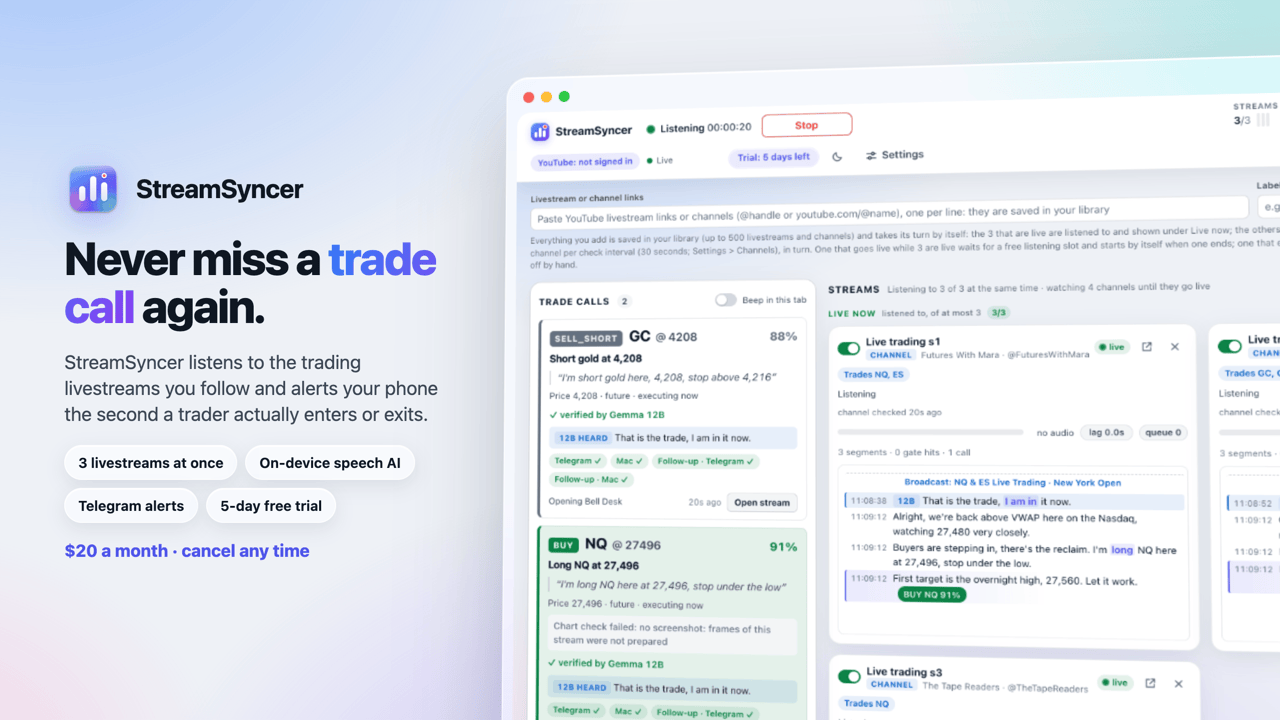
StreamSyncer listens to the trading livestreams you follow and alerts your phone when a trader enters or exits a trade. You paste in the YouTube channels or livestream links, and it watches for them to go live. Each alert arrives in Telegram with the trade, the price, the trader's words and a confidence level. It is built for traders who follow several livestreams and cannot watch them all at once. Speech is recognised on your own computer, and you bring your own AI key for the trade detector or run a local model. Only actual entries and exits become alerts, not general chat. For entries, StreamSyncer checks the stream's chart and raises the confidence when the position is visible there. A separate Pro plan adds a Copier for Vest Markets accounts, with a preview mode that stops before sending orders.
StreamSyncerを見る →
Opal - Visual Editor
Opal is a visual editor that allows users to build, edit, and share mini-AI applications. It facilitates the creation of custom workflows using only natural language, simplifying the process of building AI solutions. It is intended for users who need to automate tasks and build functional AI apps without requiring advanced coding knowledge. As the platform transitions, Opal's custom workflows are migrating to skills within Gemini. While active workflows will cease running after November 17, 2026, all workflow files remain stored and accessible in your Google Drive.
Opal - Visual Editorを見る →機能の比較
StreamSyncer
まだ機能は掲載されていません。
Opal - Visual Editor
- •Visual workflow editor
- •Natural language input
- •Build mini-AI apps
- •Store files in Google Drive
- •Transitioning to Gemini skills
ひと目で比較
| StreamSyncer | Opal - Visual Editor | |
|---|---|---|
| カテゴリ | Automation | Automation |
| 料金 | Subscription | Free |
| コミュニティの評価 | レビューなし | レビューなし |
| Stremitでの投票数 | 0 | 84 |
| Webサイト | streamsyncer.appgeolist.com ↗ | opal.withgoogle.com ↗ |
StreamSyncer vs Opal - Visual Editor:どちらが優れている?
StreamSyncerとOpal - Visual Editorのどちらを選ぶかは、あなたのニーズ次第です。 どちらのツールも Automation カテゴリに属する直接の競合です。上で料金、機能、ユーザーレビューを比較して、ワークフローに最適なものを選びましょう。
詳しい情報、コミュニティのレビュー、機能の内訳は、各ツールのページをご覧ください。
よくある質問
What is the difference between StreamSyncer and Opal - Visual Editor?
StreamSyncer: StreamSyncer listens to the trading livestreams you follow and alerts your phone when a trader enters or exits a trade. You paste in the YouTube channels or livestream links, and it watches for them to go live. Each… Opal - Visual Editor: Opal is a visual editor that allows users to build, edit, and share mini-AI applications. It facilitates the creation of custom workflows using only natural language, simplifying the process of building AI solutions. It…
Is StreamSyncer free?
StreamSyncer is listed as Subscription on Stremit. Check the tool's site for current plans.
Is Opal - Visual Editor free?
Opal - Visual Editor is listed as Free on Stremit. Check the tool's site for current plans.
Are StreamSyncer and Opal - Visual Editor competitors?
Yes — both are Automation tools on Stremit, so people often compare them before choosing.