StreamSyncer vs Opal - Visual Editor
详细对比,帮你为工作流选择合适的 AI 工具。
StreamSyncer
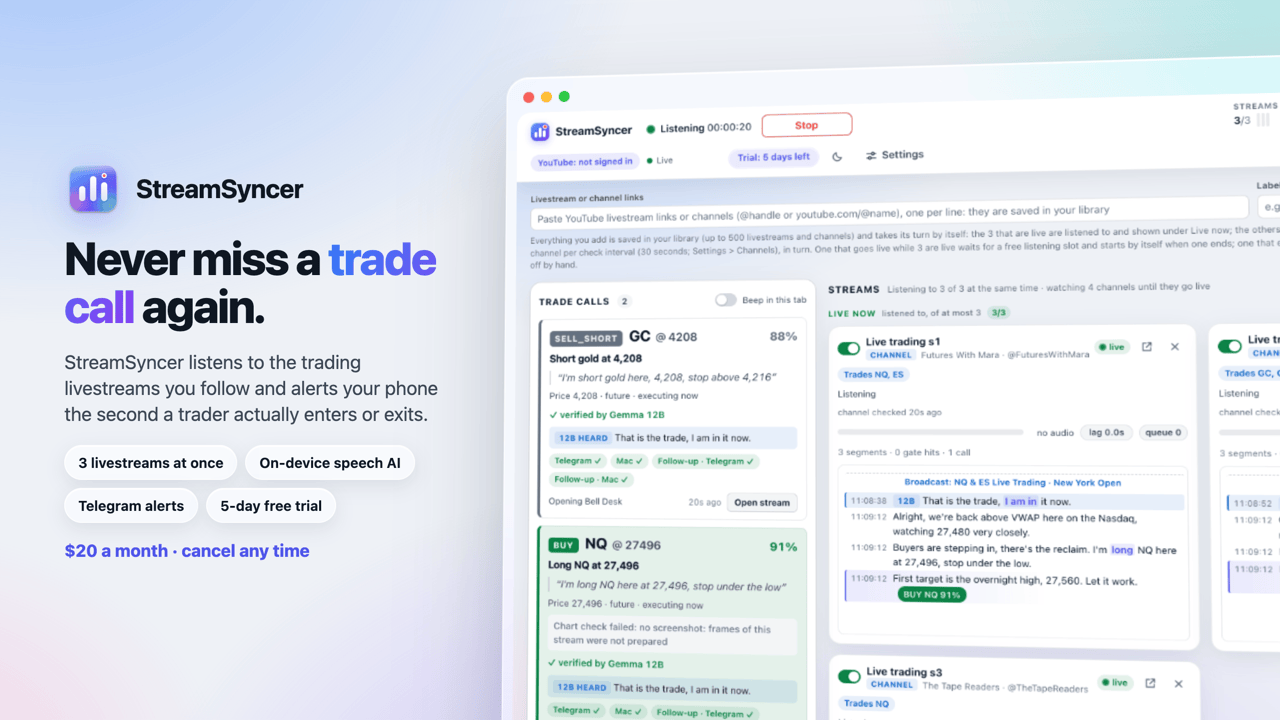
StreamSyncer listens to the trading livestreams you follow and alerts your phone when a trader enters or exits a trade. You paste in the YouTube channels or livestream links, and it watches for them to go live. Each alert arrives in Telegram with the trade, the price, the trader's words and a confidence level. It is built for traders who follow several livestreams and cannot watch them all at once. Speech is recognised on your own computer, and you bring your own AI key for the trade detector or run a local model. Only actual entries and exits become alerts, not general chat. For entries, StreamSyncer checks the stream's chart and raises the confidence when the position is visible there. A separate Pro plan adds a Copier for Vest Markets accounts, with a preview mode that stops before sending orders.
查看 StreamSyncer →
Opal - Visual Editor
Opal is a visual editor that allows users to build, edit, and share mini-AI applications. It facilitates the creation of custom workflows using only natural language, simplifying the process of building AI solutions. It is intended for users who need to automate tasks and build functional AI apps without requiring advanced coding knowledge. As the platform transitions, Opal's custom workflows are migrating to skills within Gemini. While active workflows will cease running after November 17, 2026, all workflow files remain stored and accessible in your Google Drive.
查看 Opal - Visual Editor →功能对比
StreamSyncer
暂未列出功能。
Opal - Visual Editor
- •Visual workflow editor
- •Natural language input
- •Build mini-AI apps
- •Store files in Google Drive
- •Transitioning to Gemini skills
概览
| StreamSyncer | Opal - Visual Editor | |
|---|---|---|
| 分类 | Automation | Automation |
| 价格 | Subscription | Free |
| 社区评分 | 暂无评测 | 暂无评测 |
| Stremit 点赞数 | 0 | 84 |
| 官网 | streamsyncer.appgeolist.com ↗ | opal.withgoogle.com ↗ |
StreamSyncer vs Opal - Visual Editor:哪个更好?
在 StreamSyncer 和 Opal - Visual Editor 之间如何选择,取决于你的具体需求。 两个工具都属于 Automation 分类,是直接竞争对手。对比上方的价格、功能和用户评测,为你的工作流做出最佳选择。
访问各工具页面,查看更详细的信息、社区评测和功能拆解。
常见问题
What is the difference between StreamSyncer and Opal - Visual Editor?
StreamSyncer: StreamSyncer listens to the trading livestreams you follow and alerts your phone when a trader enters or exits a trade. You paste in the YouTube channels or livestream links, and it watches for them to go live. Each… Opal - Visual Editor: Opal is a visual editor that allows users to build, edit, and share mini-AI applications. It facilitates the creation of custom workflows using only natural language, simplifying the process of building AI solutions. It…
Is StreamSyncer free?
StreamSyncer is listed as Subscription on Stremit. Check the tool's site for current plans.
Is Opal - Visual Editor free?
Opal - Visual Editor is listed as Free on Stremit. Check the tool's site for current plans.
Are StreamSyncer and Opal - Visual Editor competitors?
Yes — both are Automation tools on Stremit, so people often compare them before choosing.