Build to Launch MCP vs Opal
Uma comparação detalhada para ajudar você a escolher a ferramenta de IA certa para seu workflow.

Build to Launch MCP
Build to Launch MCP is a connector that links an AI agent such as Claude to a library of 470+ methods, workflows, tools and examples for building with AI. Once connected, the toolkit is available in every chat, and Claude picks the right item for the task. The library is organized around ten jobs, including getting started, research, building, automating, writing, images and video, selling and growing, and maintenance. It is built for builders, writers, and business owners. The connector also includes 143 buddies that look up live data, covering search and SEO, social media and creators, code and research, and music and podcasts. Setup takes one URL pasted into Claude's custom connector settings, followed by a sign-in with Build to Launch. Without a membership, users get the free items. Members get the full library.
Ver Build to Launch MCP →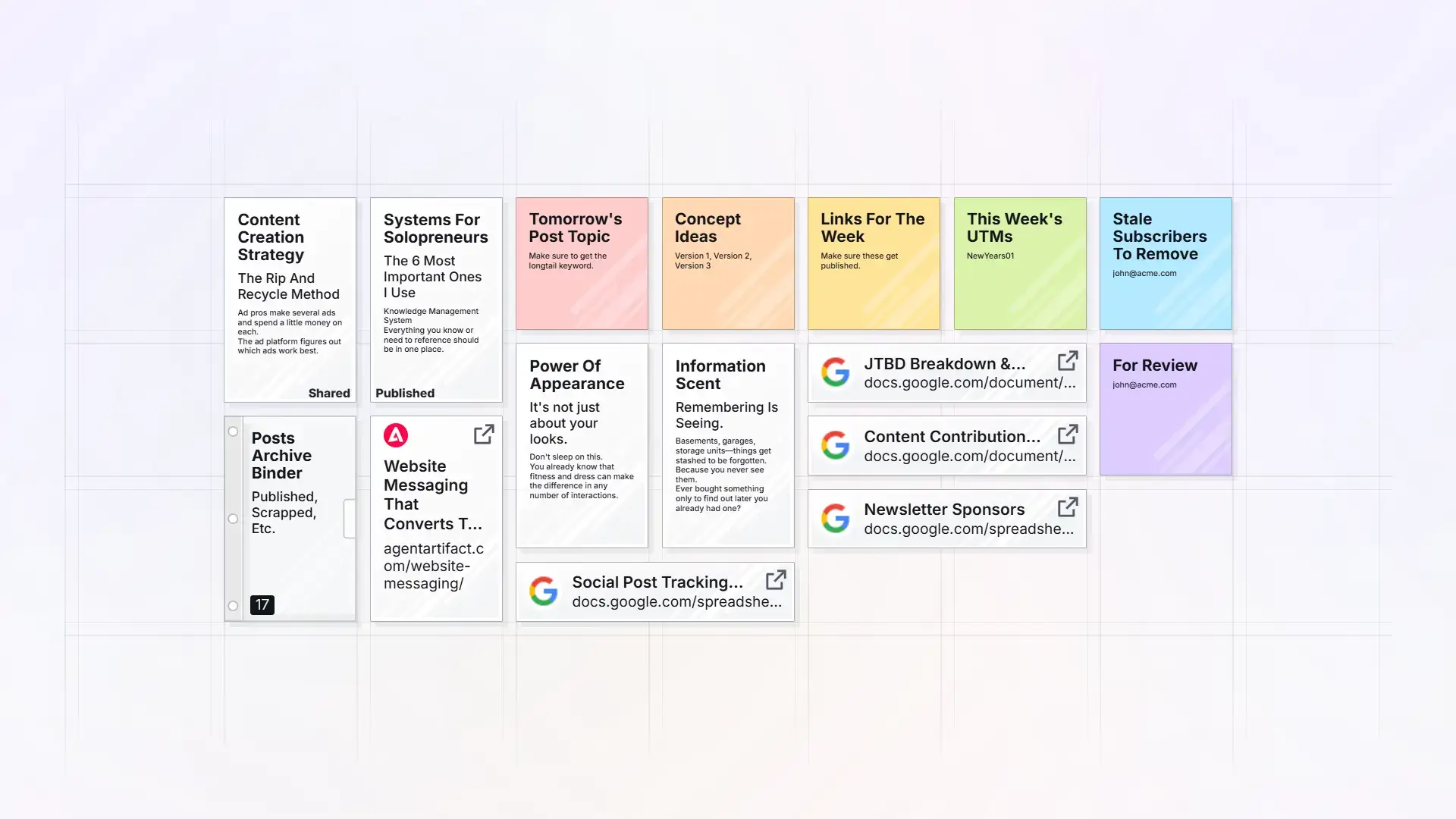
Opal
Opal Recall is a spatial note taking app. Users create or drag notes, docs, links, binders, files, and Google Docs and Sheets onto large, pannable digital desks. Items are placed on a visual grid, so users can find them by where they were put rather than by typing into a search box. It is built for freelancers, solopreneurs, and small teams who want to see all of a project's material at once. The site describes its setup as simple, with no onboarding wizard and no folder to choose when adding an item. The main difference from folder- and page-based tools is that the desk is the organizing structure. Users can open several items side by side in one tab, and each workspace gets its own URL. Access is currently by invitation in batches, and users register to reserve a spot.
Ver Opal →Comparação de recursos
Build to Launch MCP
Nenhum recurso listado ainda.
Opal
- •Large, pannable digital desk for placing items on a grid
- •Drag-and-drop notes, docs, links, binders, and files
- •Google Docs and Google Sheets support
- •Open multiple items side by side in one tab
- •Find items by location without typing a search
- •Unique workspace URL for each user
Visão geral
| Build to Launch MCP | Opal | |
|---|---|---|
| Categoria | Productivity | Productivity |
| Preços | Freemium | — |
| Avaliação da Comunidade | Sem avaliações | Sem avaliações |
| Votos na Stremit | 0 | 47 |
| Site | mcp.buildtolaunch.ai ↗ | opalrecall.com ↗ |
Build to Launch MCP vs Opal: qual é melhor?
A escolha entre Build to Launch MCP e Opal depende das suas necessidades. As duas ferramentas pertencem à categoria Productivity e são concorrentes diretas. Compare preços, recursos e avaliações acima para fazer a melhor escolha para seu workflow.
Visite as páginas de cada ferramenta para mais informações, avaliações da comunidade e detalhes dos recursos.
Perguntas frequentes
What is the difference between Build to Launch MCP and Opal?
Build to Launch MCP: Build to Launch MCP is a connector that links an AI agent such as Claude to a library of 470+ methods, workflows, tools and examples for building with AI. Once connected, the toolkit is available in every chat, and… Opal: Opal Recall is a spatial note taking app. Users create or drag notes, docs, links, binders, files, and Google Docs and Sheets onto large, pannable digital desks. Items are placed on a visual grid, so users can find them…
Is Build to Launch MCP free?
Build to Launch MCP is listed as Freemium on Stremit. Check the tool's site for current plans.
Are Build to Launch MCP and Opal competitors?
Yes — both are Productivity tools on Stremit, so people often compare them before choosing.