MixMemo vs Koru
详细对比,帮你为工作流选择合适的 AI 工具。

MixMemo
MixMemo is an infinite canvas for online sticky notes. Users click anywhere to create a note, add rich text, files, and images, and drag notes into clusters, timelines, study maps, or project boards. Notes can be exported as PNG or PDF, shared through read-only public links, and backed up with export/import. Optional AI helpers can summarize, rewrite, translate, extract action items, and turn notes into mind maps, flowcharts, timelines, or Gantt charts. It is built for students planning study material and exam prep, and for professionals who plan projects, organize research, or map workflows. Basic note taking requires no login. MixMemo stores basic notes in the browser using IndexedDB. Content is sent to the cloud only when the user chooses an action such as AI processing, public sharing, or generated asset storage. A Chrome extension brings the same sticky note experience to web browsing.
查看 MixMemo →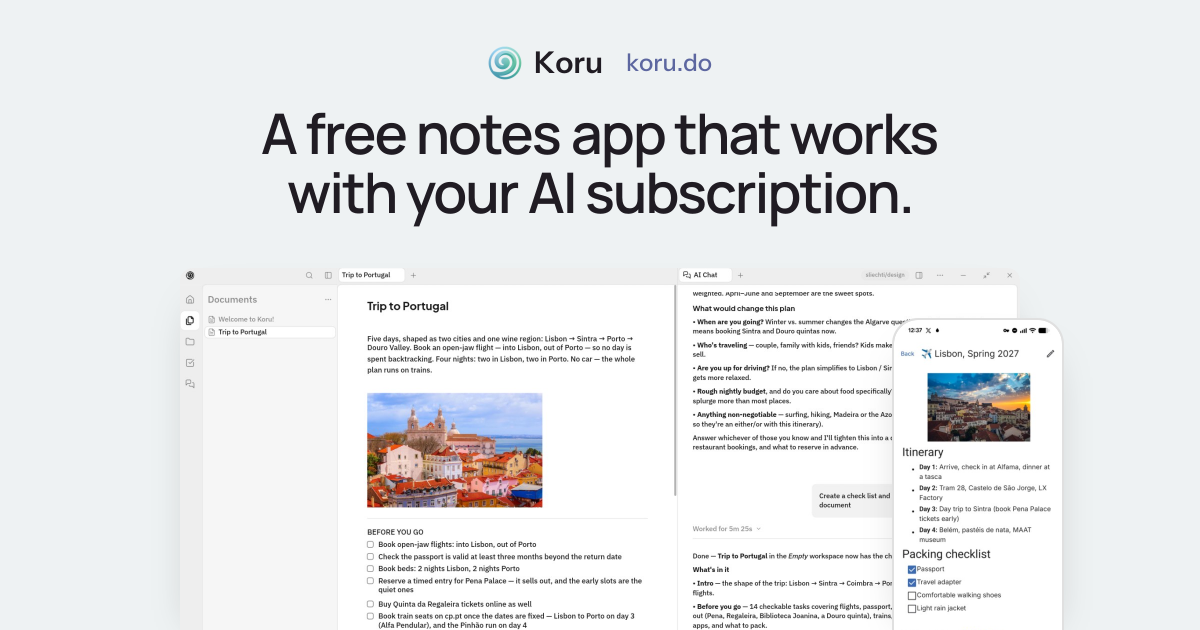
Koru
Koru is a free, open source app for notes, documents, files and tasks. It works offline on Windows, macOS and Linux. You can run AI agents such as Claude, Codex and Gemini as tabs beside your documents, and let them read and edit your workspace through a local MCP server. Koru is for people who want one private workspace for capturing ideas and planning work across their devices. Koru Voice runs speech recognition on your device, so your audio is not sent to the cloud. You can import content from Evernote, Notion, Google Docs, OneNote and Markdown. What sets Koru apart is that it does not lock you into one AI. Devices sync directly with each other, end-to-end encrypted, without needing Koru Cloud, which is an optional always-online copy of your workspaces. Koru's code is public on GitHub, so you can read it, build it yourself and open issues or pull requests.
查看 Koru →功能对比
MixMemo
- •Infinite canvas with drag-to-cluster sticky notes
- •Rich text notes with images, files, and tables
- •Optional AI summaries, rewrites, and translation
- •Diagrams including mind maps, flowcharts, and Gantt charts
- •Local-first storage in browser IndexedDB
- •PNG and PDF export, read-only share links, and export/import backups
Koru
暂未列出功能。
概览
| MixMemo | Koru | |
|---|---|---|
| 分类 | Productivity | Productivity |
| 价格 | Free | Free |
| 社区评分 | 暂无评测 | 暂无评测 |
| Stremit 点赞数 | 47 | 0 |
| 官网 | mixmemo.ai ↗ | koru.do ↗ |
MixMemo vs Koru:哪个更好?
在 MixMemo 和 Koru 之间如何选择,取决于你的具体需求。 两个工具都属于 Productivity 分类,是直接竞争对手。对比上方的价格、功能和用户评测,为你的工作流做出最佳选择。
访问各工具页面,查看更详细的信息、社区评测和功能拆解。
常见问题
What is the difference between MixMemo and Koru?
MixMemo: MixMemo is an infinite canvas for online sticky notes. Users click anywhere to create a note, add rich text, files, and images, and drag notes into clusters, timelines, study maps, or project boards. Notes can be… Koru: Koru is a free, open source app for notes, documents, files and tasks. It works offline on Windows, macOS and Linux. You can run AI agents such as Claude, Codex and Gemini as tabs beside your documents, and let them…
Is MixMemo free?
MixMemo is listed as Free on Stremit. Check the tool's site for current plans.
Is Koru free?
Koru is listed as Free on Stremit. Check the tool's site for current plans.
Are MixMemo and Koru competitors?
Yes — both are Productivity tools on Stremit, so people often compare them before choosing.