Opal vs Gemini Gems
详细对比,帮你为工作流选择合适的 AI 工具。
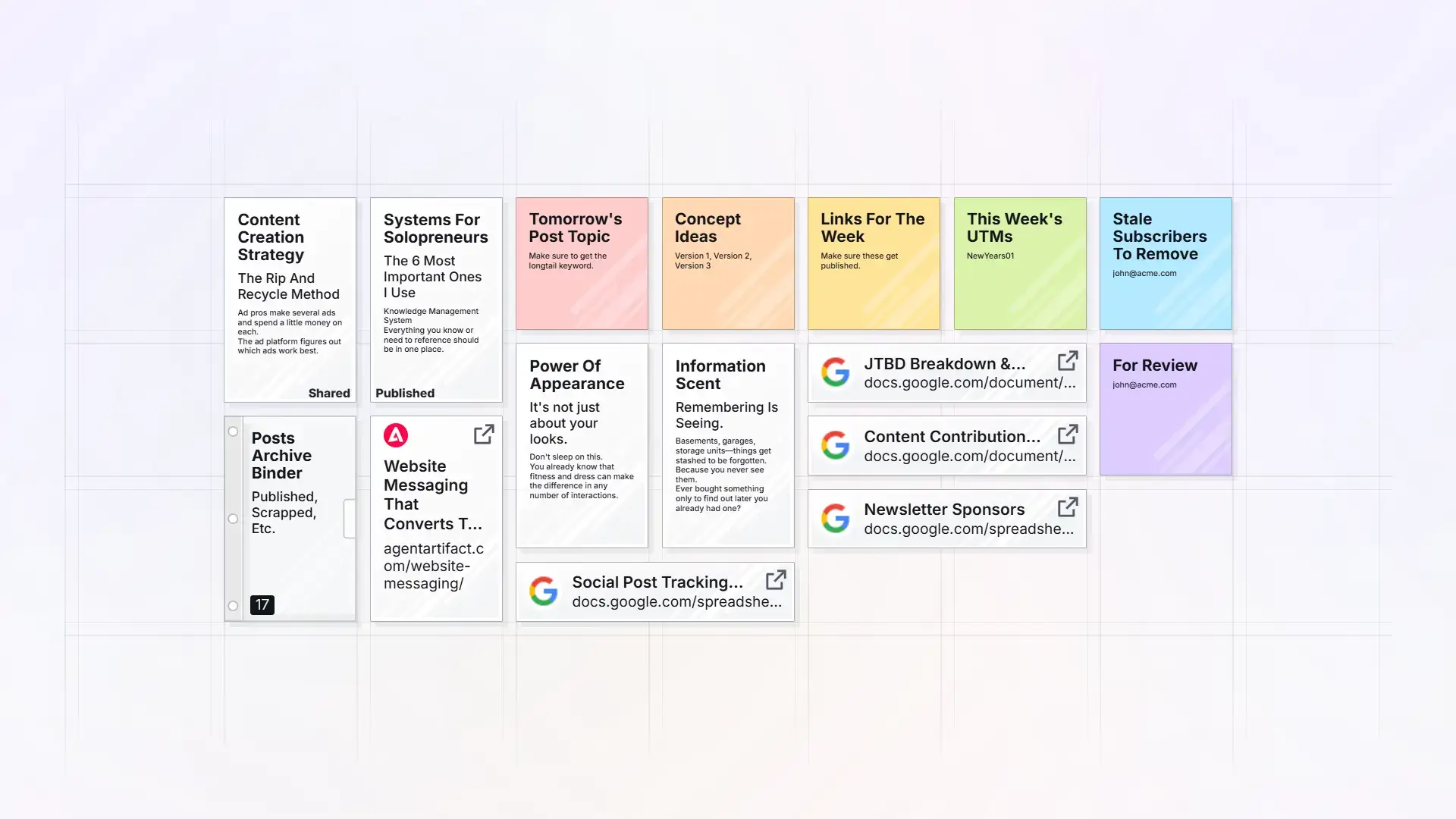
Opal
Opal Recall is a spatial note taking app. Users create or drag notes, docs, links, binders, files, and Google Docs and Sheets onto large, pannable digital desks. Items are placed on a visual grid, so users can find them by where they were put rather than by typing into a search box. It is built for freelancers, solopreneurs, and small teams who want to see all of a project's material at once. The site describes its setup as simple, with no onboarding wizard and no folder to choose when adding an item. The main difference from folder- and page-based tools is that the desk is the organizing structure. Users can open several items side by side in one tab, and each workspace gets its own URL. Access is currently by invitation in batches, and users register to reserve a spot.
查看 Opal →
Gemini Gems
Gemini Skills allows users to automate complex workflows by creating custom AI shortcuts directly within Gemini. Instead of repetitive prompting, users turn frequent requests into reusable skills, enabling seamless multi-step automation by combining (stacking) multiple skills in a single prompt. It is designed for individuals and teams who need to streamline tasks, such as preparing for meetings or ensuring consistent writing style. Users can enhance context by uploading specific files (skill.md) to give Gemini more reference material each time a skill is used. The system offers premade skills and allows new skills to be built either via regular chat or the Skills Manager. This functionality helps users move beyond simple prompting to truly customized and enhanced productivity.
查看 Gemini Gems →功能对比
Opal
- •Large, pannable digital desk for placing items on a grid
- •Drag-and-drop notes, docs, links, binders, and files
- •Google Docs and Google Sheets support
- •Open multiple items side by side in one tab
- •Find items by location without typing a search
- •Unique workspace URL for each user
Gemini Gems
- •Create custom AI shortcuts/skills
- •Stack multiple skills for complex workflows
- •Add context by uploading skill.md files
- •Access premade skills (e.g., /prep-for-meetings)
- •Build skills through chat or Skills Manager
概览
| Opal | Gemini Gems | |
|---|---|---|
| 分类 | Productivity | Productivity |
| 价格 | — | Free |
| 社区评分 | 暂无评测 | 暂无评测 |
| Stremit 点赞数 | 47 | 85 |
| 官网 | opalrecall.com ↗ | gemini.google ↗ |
Opal vs Gemini Gems:哪个更好?
在 Opal 和 Gemini Gems 之间如何选择,取决于你的具体需求。 两个工具都属于 Productivity 分类,是直接竞争对手。对比上方的价格、功能和用户评测,为你的工作流做出最佳选择。
访问各工具页面,查看更详细的信息、社区评测和功能拆解。
常见问题
What is the difference between Opal and Gemini Gems?
Opal: Opal Recall is a spatial note taking app. Users create or drag notes, docs, links, binders, files, and Google Docs and Sheets onto large, pannable digital desks. Items are placed on a visual grid, so users can find them… Gemini Gems: Gemini Skills allows users to automate complex workflows by creating custom AI shortcuts directly within Gemini. Instead of repetitive prompting, users turn frequent requests into reusable skills, enabling seamless…
Is Gemini Gems free?
Gemini Gems is listed as Free on Stremit. Check the tool's site for current plans.
Are Opal and Gemini Gems competitors?
Yes — both are Productivity tools on Stremit, so people often compare them before choosing.